Web Socket vs Web Hook: How to Choose
Web socket vs web hook, explained for developers: how each delivers events, when to use which, and why agent email inboxes run on webhooks.

John Joubert
Founder, Robotomail
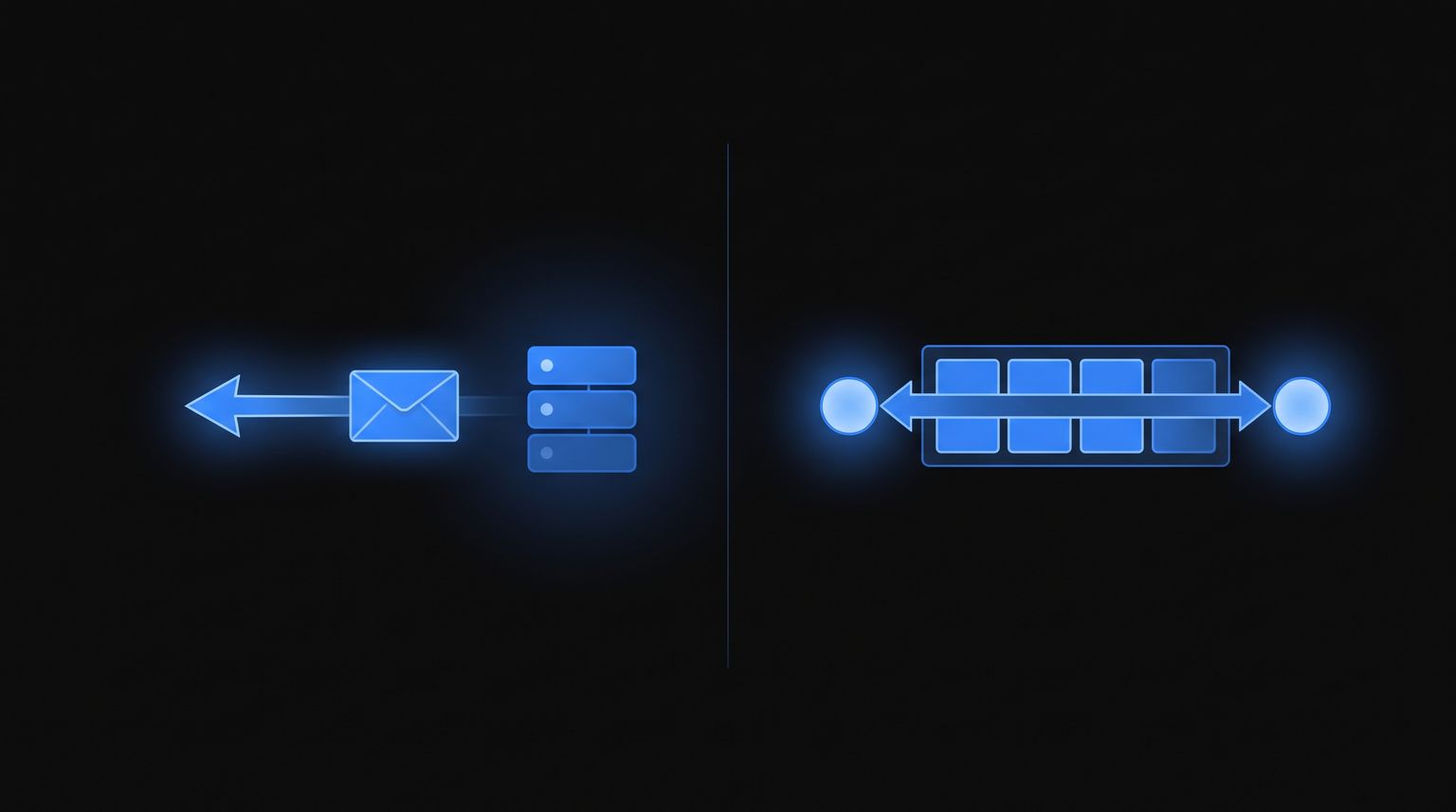
Table of contents
The short version of web socket vs web hook: a web hook (normally spelled "webhook") is a one-way HTTP POST that a provider sends to a URL you own when something happens. A WebSocket is a long-lived, bidirectional TCP connection that stays open so either side can send frames at any time. Webhooks are server-to-server and stateless. WebSockets are connection-oriented and usually client-to-server, which is why browsers and desktop apps use them.
If you are building a backend that reacts to events from a third party, you almost always want webhooks. If you are pushing live updates into a UI or need sub-second two-way chat, you want a WebSocket. Most real systems end up using both, in that order: webhook in, WebSocket out.
Web socket vs web hook at a glance
| Webhook | WebSocket | |
|---|---|---|
| Transport | HTTP POST per event | Single upgraded TCP connection |
| Direction | Provider to your server | Both directions |
| State | Stateless, no connection to keep alive | Stateful, must be kept alive and reconnected |
| Requires public URL | Yes, HTTPS endpoint | No, client dials out |
| Works from a browser | No | Yes |
| Works on serverless | Yes, natural fit | Poorly, functions are short-lived |
| Delivery guarantees | Provider retries on non-2xx | None built in, you build them |
| Ordering | Not guaranteed | Per-connection order preserved |
| Typical latency | Tens to hundreds of ms | Single-digit ms once connected |
| Failure mode | Your endpoint 500s, provider retries | Connection drops, you miss events silently |
| Scaling cost | Scales with request volume | Scales with concurrent connections |
That last row matters more than people expect. Ten thousand idle WebSocket connections cost you memory and file descriptors even when nothing is happening. Ten thousand webhook deliveries cost you nothing until they arrive.
How a webhook actually works
- You expose an HTTPS route that accepts POST.
- You register that URL with the provider.
- An event happens on their side.
- They POST a JSON body to your URL, usually with a signature header.
- You verify the signature, return 2xx fast, and process asynchronously.
- If you return non-2xx or time out, they retry with backoff.
A minimal receiver:
import express from "express";

const app = express();

app.post("/hooks/email", express.json(), async (req, res) => {
  // Acknowledge first. Do work after.
  res.status(200).end();

  const { event, data } = req.body;
  if (event !== "message.received") return;

  await queue.add("handle-email", {
    messageId: data.message_id,
    threadId: data.thread_id,
    from: data.from,
    subject: data.subject,
    bodyText: data.body_text,
  });
});

app.listen(3000);
The important discipline is in those first two lines. Return 200 before you call an LLM, hit a database, or send a reply. Providers have delivery timeouts measured in seconds, and if your handler blocks on a slow model call you will get duplicate deliveries from retries.
That also means your handler must be idempotent. Key your work on the provider's message or event ID, not on arrival order.
How a WebSocket actually works
- The client sends an HTTP request with
Upgrade: websocket. - The server responds 101 Switching Protocols.
- The connection is now a framed bidirectional channel. No more HTTP semantics.
- Both sides send ping/pong frames to detect dead peers.
- When the connection dies, the client reconnects and resubscribes.
import WebSocket from "ws";

function connect() {
  const ws = new WebSocket("wss://example.internal/events");

  ws.on("open", () => ws.send(JSON.stringify({ subscribe: "mailbox:mbx_shopping" })));
  ws.on("message", (raw) => handleEvent(JSON.parse(raw.toString())));
  ws.on("close", () => setTimeout(connect, backoff()));
  ws.on("error", () => ws.close());
}

connect();
Notice what is missing: there is no retry queue, no delivery receipt, no replay. If your process is down for ninety seconds, those events are gone unless the server implements cursors or a replay log and you implement resume-from-cursor on the client. That is work you have to build. With webhooks the provider already built it.
Which one to pick
Walk these questions in order.
Does the event originate from a third-party service you do not control? Use whatever they offer. In practice that is webhooks. Payment processors, git hosts, email providers and CI systems all push HTTP callbacks.
Does a browser or mobile client need the data? WebSocket, or Server-Sent Events if the traffic is one-way. Browsers cannot receive webhooks.
Is your handler running on serverless functions? Webhook. A function that lives for 10 seconds cannot hold a connection open for an hour.
Do you need request/response round trips under 50ms? WebSocket. HTTP connection setup per event adds up at chat latency.
Do you need the event to survive your service being down? Webhook, because the sender retries. Or a real queue.
Is traffic bursty and low average volume? Webhook. Paying to hold a connection open for an event that arrives four times a day is waste.
For a deeper walk through the tradeoffs including SSE and long polling, we wrote a longer piece on webhooks vs WebSockets.
Why agent email runs on web hooks, not web sockets
Email is the clearest case in the whole web socket vs web hook debate, because the arrival pattern decides it. Email arrives rarely and unpredictably. A vendor replies to your agent's order inquiry four hours later. A candidate answers a recruiting email the next morning. Holding a socket open across that gap buys you nothing and costs you a process that must never die.
Worse, missing one message is unacceptable. An email your agent never sees is a dropped thread, and the human on the other end has no idea the agent went deaf. Webhook retries with backoff give you an at-least-once guarantee for free. A WebSocket gives you at-most-once and silence.
So that is how we deliver inbound mail. Create a mailbox:
npx @robotomail/cli mailbox create shopping-agent
Or over the API:
curl -X POST https://api.robotomail.com/v1/mailboxes \
  -H "Authorization: Bearer rm_your_api_key" \
  -H "Content-Type: application/json" \
  -d '{"address": "shopping-agent"}'
Register a webhook, and inbound mail arrives as JSON:
{
  "event": "message.received",
  "data": {
    "message_id": "...", "mailbox_id": "...", "mailbox_address": "shopping-agent@robotomail.co",
    "from": "vendor@example.com", "subject": "Re: Order #A-4521 delivery update?", "body_text": "...",
    "thread_id": "...", "received_at": "2026-04-17T10:00:00.000Z"
  }
}
Your agent decides what to do, then replies on the same thread by passing the inbound message ID as inReplyTo:
curl -X POST https://api.robotomail.com/v1/mailboxes/mbx_shopping/messages \
  -H "Authorization: Bearer rm_your_api_key" \
  -H "Content-Type: application/json" \
  -d '{"to": ["vendor@example.com"], "subject": "Order #A-4521 delivery update?", "bodyText": "Hi, checking on the status of order A-4521."}'
Setup detail, signature verification and event types live in the webhooks concept docs. If you are wiring this into an agent for the first time, the walkthrough on giving your AI agent an email address covers mailbox to first reply end to end.
The common pattern: webhook in, WebSocket out
You rarely choose one globally. You choose per hop.
A support agent with a human review dashboard looks like this:
- Robotomail POSTs
message.receivedto your backend. - Your backend returns 200, enqueues the work, runs the agent, writes a draft or a sent record to your database.
- Your backend broadcasts over a WebSocket to any connected dashboard so the human sees the thread update live.
// inside the worker, after persisting
hub.broadcast(`thread:${threadId}`, {
  type: "thread.updated",
  threadId,
  lastMessageAt: new Date().toISOString(),
});
The webhook gives you durability on the inbound edge. The WebSocket gives you liveness on the UI edge. Neither one is doing the other's job.
Operational gotchas on both sides
Webhook: verify before you trust. Your endpoint is public. Check the signature header against your signing secret and reject anything that fails, before you parse the body into anything expensive.
Webhook: handle duplicates. At-least-once means sometimes twice. Store processed message IDs and short-circuit.
Webhook: local development needs a tunnel. Localhost is not reachable from the internet. Use a tunneling tool during development, or poll the messages endpoint while you build and switch to webhooks before you ship. We cover both paths in the receive and reply guide.
Webhook: do not parse raw MIME if you do not have to. A good inbound API hands you body_text, from, subject and a thread_id already extracted. If you are coming from raw mail handling, the notes on parsing inbound email webhooks explain what normally goes wrong.
WebSocket: heartbeats are mandatory. TCP will happily report a connection as open after the peer has vanished. Send pings, track pongs, kill connections that go quiet.
WebSocket: reconnect with jitter. Without jitter, a server restart means every client reconnects at the same instant and knocks you over again.
WebSocket: proxies and load balancers. Idle timeouts on intermediate proxies are a classic cause of connections dying every 60 seconds for no visible reason. Heartbeat interval should be shorter than the shortest timeout in the path.
WebSocket: you need a replay story. If events matter, give clients a cursor and let them resume. Otherwise every disconnect is silent data loss.
FAQ
Is it spelled "web hook" or "webhook"?
"Webhook" is the standard spelling and the one you will find in provider documentation. "Web hook" is the older two-word form and still shows up in search queries. They mean the same thing. "WebSocket" is one word with a capital S, defined in RFC 6455.
Can a webhook send data both ways?
Not really. The provider POSTs to you and reads your HTTP status code. Some APIs let you return a JSON body that influences behavior, but the channel is fundamentally one direction per request. If you need to push something back, you call their API separately. WebSockets are symmetric by design.
Should I use WebSockets to receive email in real time?
No. Email does not arrive in a stream, it arrives in bursts separated by hours, and losing a message is worse than a few hundred milliseconds of extra latency. Webhooks with provider-side retries are the correct shape. If you cannot accept inbound HTTP at all, poll the messages endpoint on a schedule instead.
What about Server-Sent Events?
SSE is a good middle ground when you need server-to-client streaming in a browser but no client-to-server channel. It rides on plain HTTP, handles reconnection in the browser with Last-Event-ID, and is simpler to operate than a WebSocket. It still does not replace a webhook for third-party server-to-server events.
Ready to give an agent an inbox that pushes mail straight to your handler? Start at robotomail.com and have a mailbox posting JSON to your endpoint in a few minutes.
Give your AI agent a real email address
Create a mailbox, connect your agent and test a conversation. Send, receive and retrieve the thread through one API.
Related posts

How to Connect an AI Agent to a Real Email Inbox
Give your AI agent its own real email inbox: provision a mailbox, send via API, receive inbound webhooks, and reply in thread. Working code included.
Read post
Agent Native Mail: What It Means and How to Run It
Agent native mail is email built for programs, not people: API mailboxes, inbound webhooks, per-agent identity. What it requires and how to set it up.
Read post
How to Parse Inbound Email Webhook Payloads
How to parse inbound email webhook payloads: required fields, MIME edge cases, attachments, threading ids, and idempotent retry handling.
Read post