How to Give Your AI Agent an Email Address
Email is the last protocol your AI agent can't touch — until now. Here's how to give an agent a real, authenticated email address it can actually use, in under five minutes, with a live demo. See email for AI agents for the capabilities, or browse integrations to choose your connection.
The problem: AI agents can't do email
Modern AI agents can browse the web, write and run code, file pull requests, call APIs, and drive a terminal. But the moment the agent needs to sign up for something, confirm a verification code, reply to a vendor, or triage an inbox on its own — the wheels come off. The existing options are all designed for humans or for machines impersonating humans:
- Gmail APIrequires an authorization and credential-management plan. Decide who owns the mailbox and what happens if access is revoked.
- Self-hosted Postfix or Stalwartfull send/receive, but you're on the hook for DKIM, DMARC, reverse DNS, IP warming, blocklists, disk quotas, and staying off spam lists. Weeks of plumbing before the first email goes out.
- Transactional providers (SendGrid, Mailgun, Resend)great at outbound blasts, not designed for per-agent mailboxes, inbound threading, or the guardrails an autonomous loop needs.
- Scraping IMAPrequires polling, persistent message cursors and reconnection handling.
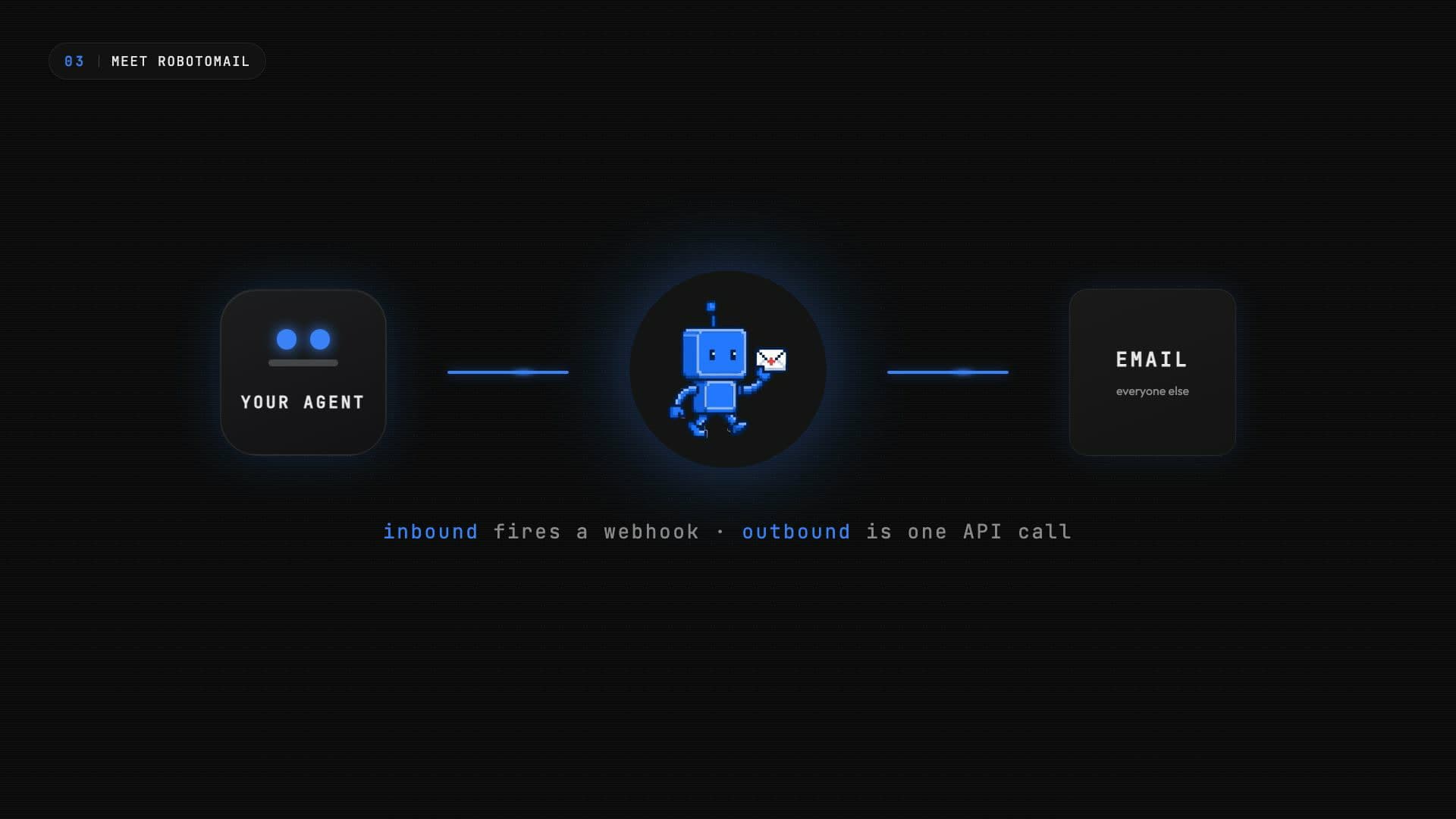
None of them give you what you actually want: a real mailbox that an agent owns, with full SMTP send and receive, webhooks for inbound, and a way to programmatically provision new ones.
Meet Robotomail
Robotomail is managed email infrastructure for AI agents. API and CLI only — no web UI for email operations, because agents don't click through web UIs. Real send and receive over real SMTP, with proper authentication (SPF, DKIM, DMARC), thread-aware replies, webhooks for inbound mail, attachment handling, and built-in rate-limit guardrails.
Live demo: provision a mailbox in one command
One CLI call and the agent has a mailbox. No DNS, no OAuth, no waiting. The mailbox address goes live on the shared platform domain — yourname@robotomail.co — and you can immediately send and receive from it.
npx @robotomail/cli mailbox create shopping-agentOr use the API directly:
curl -X POST https://api.robotomail.com/v1/mailboxes \
  -H "Authorization: Bearer rm_your_api_key" \
  -H "Content-Type: application/json" \
  -d '{
    "address": "shopping-agent",
    "domainId": "dom_platform"
  }'
With the mailbox created, send the first email:
curl -X POST https://api.robotomail.com/v1/mailboxes/mbx_shopping/messages \
  -H "Authorization: Bearer rm_your_api_key" \
  -H "Content-Type: application/json" \
  -d '{
    "to": ["vendor@example.com"],
    "subject": "Order #A-4521 — delivery update?",
    "bodyText": "Hi, checking on the status of order A-4521. Expected delivery is Thursday. Please confirm or advise."
  }'
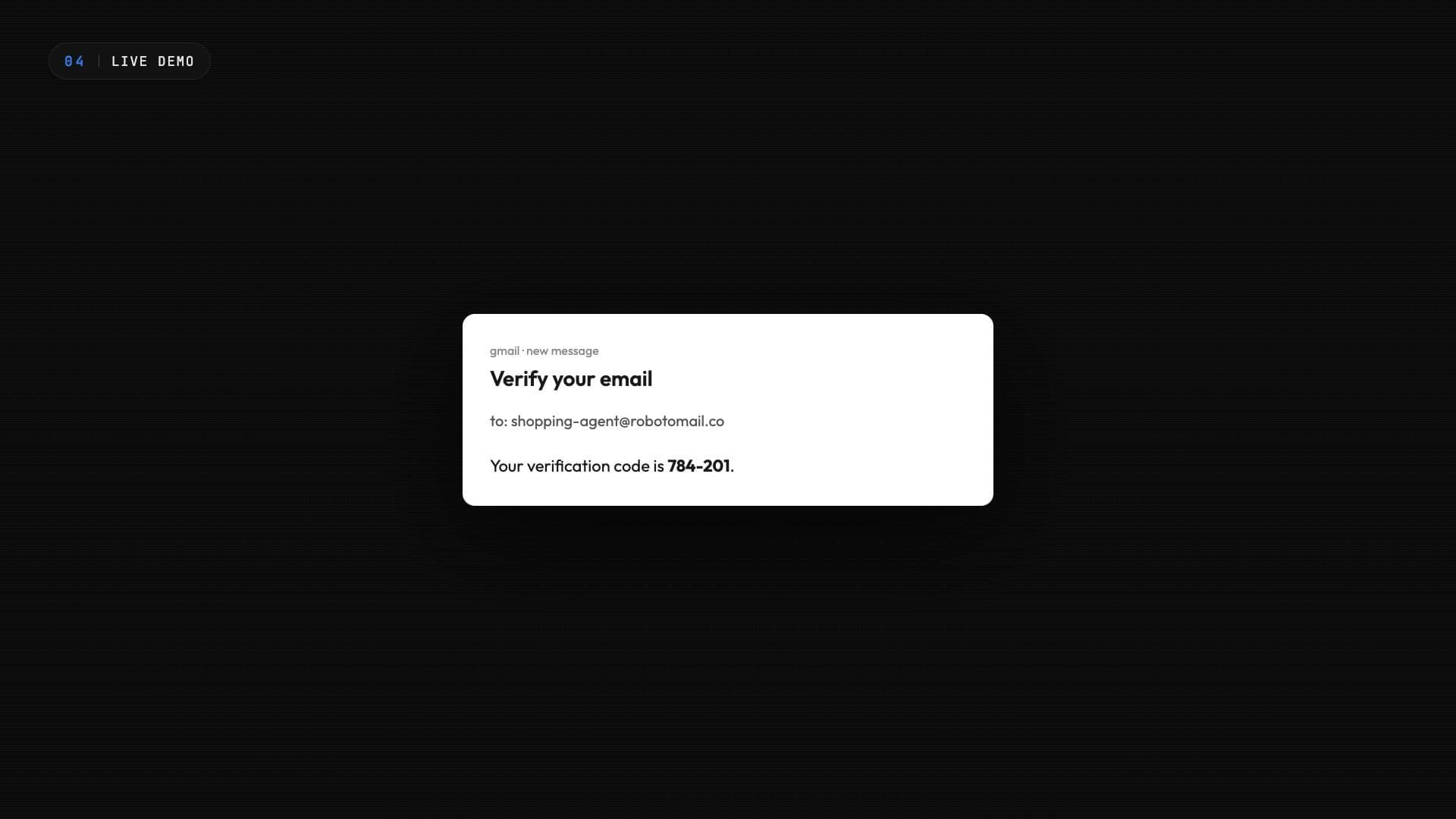
And when the reply arrives, Robotomail delivers it to your webhook within a few seconds. The payload is a clean, structured JSON envelope — no MIME parsing on your end.
{
  "event": "message.received",
  "timestamp": "2026-04-17T10:00:00.000Z",
  "data": {
    "message_id": "b2c3d4e5-6789-4abc-def0-222222222222",
    "mailbox_id": "a1b2c3d4-5678-4def-abcd-111111111111",
    "mailbox_address": "shopping-agent@robotomail.co",
    "from": "vendor@example.com",
    "to": ["shopping-agent@robotomail.co"],
    "subject": "Re: Order A-4521, delivery update?",
    "body_text": "Delivery confirmed for Thursday 2pm.",
    "thread_id": "c3d4e5f6-789a-4bcd-ef01-333333333333",
    "received_at": "2026-04-17T10:00:00.000Z"
  }
}
Inside the agent loop
From the agent's perspective there are four tools: send, list, read, and reply. That's the whole surface area. Replies automatically carry the correct In-Reply-To and Referencesheaders so threads stay intact on the recipient's side — your agent doesn't have to think about any of it.
Running OpenClaw? There's a dedicated, skill-based setup walkthrough for it.
The daily send cap is the critical guardrail. A runaway loop or a prompt-injection escalation would, in a world without caps, cheerfully email a million people. Robotomail enforces the cap at the API layer — 50 sends per day on Solo, 500 per mailbox per day on Starter, and higher caps on Growth and Scale (see pricing) — and returns a 429 the moment it's hit.
Receiving email: register a webhook
The demo above showed the structured payload Robotomail delivers when mail arrives. To actually receive it, register a webhook URL against your account. Robotomail then POSTs every inbound message to that URL within a few seconds of receipt.
curl -X POST https://api.robotomail.com/v1/webhooks \
  -H "Authorization: Bearer rm_your_api_key" \
  -H "Content-Type: application/json" \
  -d '{
    "url": "https://your-server.com/webhook",
    "events": ["message.received"]
  }'
The creation response includes a signing secret. Save it, because it is only returned once.
{
  "webhook": {
    "id": "d7f3a1e2-9c4b-4a8e-bf12-3e5a6c7d8e9f",
    "url": "https://your-server.com/webhook",
    "events": ["message.received"],
    "secret": "a3f8c1d2e4b5f6a7b8c9d0e1f2a3b4c5d6e7f8a9b0c1d2e3f4a5b6c7d8e9f0a1"
  }
}
Every delivery carries an X-Robotomail-Signature header: an HMAC-SHA256 hex digest of the raw request body, keyed with your webhook secret. Verify it before trusting the payload, and reject any request whose signature does not match.
import { createHmac, timingSafeEqual } from "crypto";

// Verify every webhook before trusting the payload.
function isValidSignature(rawBody, signature, secret) {
  const expected = createHmac("sha256", secret)
    .update(rawBody)
    .digest("hex");
  const a = Buffer.from(expected);
  const b = Buffer.from(signature);
  return a.length === b.length && timingSafeEqual(a, b);
}
Complete example: copy-paste scripts
Two minimal scripts that sign up, send an email, and register an inbound webhook. One thing to know before you run them: a new account must verify its email before it can send, so click the link sent to your signup address first, then run the send step. Both scripts rely only on the standard library plus, for Python, requests.
import requests

BASE = "https://api.robotomail.com"

# 1. Create an account (provisions a mailbox + API key)
signup = requests.post(f"{BASE}/v1/signup", json={
    "email": "you@company.com",
    "password": "a-secure-password",
    "slug": "my-agent",
})
signup.raise_for_status()
data = signup.json()

api_key = data["api_key"]["key"]
mailbox_id = data["mailbox"]["id"]
print(f"Mailbox ready: {data['mailbox']['fullAddress']}")
print(f"API key (save this!): {api_key}")

headers = {
    "Authorization": f"Bearer {api_key}",
    "Content-Type": "application/json",
}

# 2. Send an email
# (Requires email verification: click the link sent to your signup email first)
send = requests.post(f"{BASE}/v1/mailboxes/{mailbox_id}/messages", headers=headers, json={
    "to": ["customer@acme.com"],
    "subject": "Your report is ready",
    "bodyText": "Hi, your weekly report is ready. Let me know if you have questions.",
})
send.raise_for_status()
msg = send.json()["message"]
print(f"Sent message {msg['id']} to {msg['toAddresses']}")

# 3. Register a webhook for inbound email
webhook = requests.post(f"{BASE}/v1/webhooks", headers=headers, json={
    "url": "https://your-server.com/webhook",
    "events": ["message.received"],
})
webhook.raise_for_status()
wh = webhook.json()["webhook"]
print(f"Webhook registered: {wh['id']}")
print(f"Webhook secret (save this!): {wh['secret']}")const BASE = "https://api.robotomail.com";
async function main() {
// 1. Create an account (provisions a mailbox + API key)
const signupRes = await fetch(`${BASE}/v1/signup`, {
method: "POST",
headers: { "Content-Type": "application/json" },
body: JSON.stringify({
email: "you@company.com",
password: "a-secure-password",
slug: "my-agent",
}),
});
const { api_key, mailbox } = await signupRes.json();
const apiKey = api_key.key;
const mailboxId = mailbox.id;
console.log(`Mailbox ready: ${mailbox.fullAddress}`);
console.log(`API key (save this!): ${apiKey}`);
const headers = {
Authorization: `Bearer ${apiKey}`,
"Content-Type": "application/json",
};
// 2. Send an email
// (Requires email verification: click the link sent to your signup email first)
const sendRes = await fetch(`${BASE}/v1/mailboxes/${mailboxId}/messages`, {
method: "POST",
headers,
body: JSON.stringify({
to: ["customer@acme.com"],
subject: "Your report is ready",
bodyText: "Hi, your weekly report is ready. Let me know if you have questions.",
}),
});
const { message } = await sendRes.json();
console.log(`Sent message ${message.id} to ${message.toAddresses}`);
// 3. Register a webhook for inbound email
const webhookRes = await fetch(`${BASE}/v1/webhooks`, {
method: "POST",
headers,
body: JSON.stringify({
url: "https://your-server.com/webhook",
events: ["message.received"],
}),
});
const { webhook } = await webhookRes.json();
console.log(`Webhook registered: ${webhook.id}`);
console.log(`Webhook secret (save this!): ${webhook.secret}`);
}
main().catch(console.error);Custom domains: five DNS records
The platform domain is great for getting started. When you're ready to send as agent@yourcompany.com, add a custom domain. Robotomail generates exactly five DNS records — two MX for inbound routing and the send subdomain, one SPF TXT, one DKIM TXT, and one DMARC TXT. Paste them into your DNS provider and run verify.
MX    acme.com               mail.robotomail.com              (priority 10)
MX    send.acme.com          feedback-smtp.us-east-1.amazonses.com  (priority 10)
TXT   send.acme.com          v=spf1 include:amazonses.com ~all
TXT   resend._domainkey      p=MIGfMA0GCSq...
TXT _dmarc v=DMARC1; p=quarantine; rua=mailto:dmarc@robotomail.com$ npx @robotomail/cli domain verify acme.com
⏳ checking DNS...
✓ MX propagated
✓ SPF valid
✓ DKIM aligned
✓ DMARC policy ok
✓ acme.com is fully verified.Gotchas worth knowing
- DKIM alignment is non-obviousDMARC requires that the DKIM signing domain aligns with the visible From domain. Robotomail signs with a selector on your domain so alignment is automatic — but if you roll your own, this is where most setups fail silently into the spam folder.
- Suppression lists matterHard bounces and spam complaints land the address on a suppression list — every subsequent send to that address is blocked at the API layer. This protects your sender reputation, which is the single most important input to deliverability.
- Rate limits are your friendPer-mailbox daily caps catch the bugs you didn't know you had. Treat the 429 as a signal, not a blocker.
What to build
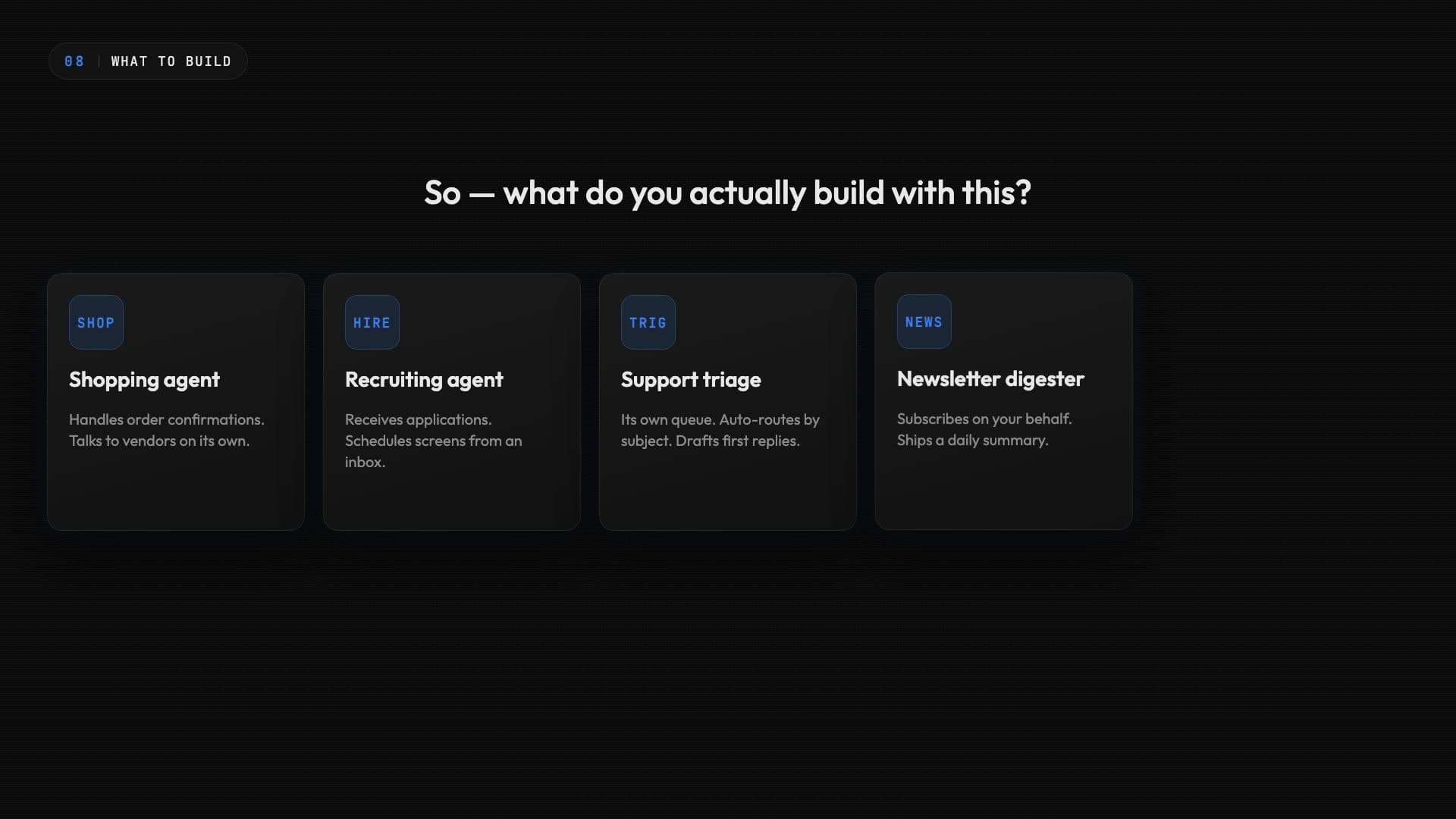
- Shopping agentsPlace orders, confirm deliveries, and handle returns — see the e-commerce orders pattern.
- Recruiting botsRespond to job applications and schedule interviews — see the recruiting pattern.
- Support triageRead incoming tickets, propose responses, and escalate to humans — see the customer support pattern.
- Newsletter digestersConsolidate a week of subscriptions into a single summary — see the newsletter agent pattern.
- Multi-agent workflowsAgents email each other across organizations — see the multi-agent pattern.
Frequently asked questions
Can AI agents really send and receive email?
Yes. An AI agent can hold a real email address just like a human — provision a mailbox, wire an inbound webhook to your agent loop, and call a send endpoint when the agent wants to reply. Robotomail is purpose-built for this: API and CLI only, with SMTP authentication (SPF, DKIM, DMARC), thread tracking, webhooks for inbound, and per-mailbox daily send limits as a guardrail.
Why not just use the Gmail API?
Gmail API access needs an authorization and credential-management plan. Workspace administrators can authorize domain-wide delegation and provision users through the Admin SDK. Robotomail gives each agent a separate mailbox controlled through an API key.
How fast can an agent receive an incoming email?
Inbound mail hits Robotomail over SMTP, is processed via JMAP polling (5 second cadence), stored in the database, and dispatched to your webhook. In the demo in this video the round trip was under five seconds end-to-end.
Do I need my own domain?
No. Every account gets a free address on the platform domain — yourname@robotomail.co. When you're ready for a branded address like agent@yourcompany.com, add a custom domain; Robotomail generates the five DNS records (MX, SPF, DKIM, DMARC) and verifies them as soon as propagation is complete.
How do I stop an agent from spamming?
Every mailbox has a hard daily send cap that Robotomail enforces at the API layer — Solo is 50 sends per day; Starter is 500 per mailbox per day, with higher caps on Growth and Scale. The cap is a cheap, effective guardrail against a runaway agent loop or a prompt-injection escalation.
What agent frameworks does this work with?
Any framework that can make HTTP requests. Robotomail exposes 4 tools (send, list, read, reply) that plug into Claude Code, Codex, OpenClaw, Hermes, LangChain, or any custom agent loop. Replies automatically carry the correct In-Reply-To and References headers so threads stay intact.
Give your agent an email address
Real mailboxes, send and receive via API, webhook delivery on every plan. 30-day money-back guarantee.
Create a mailbox