CrewAI Email Integration: Inboxes for Your Crew
Wire real inboxes into CrewAI: shared or per-agent mailboxes, send and reply tools, and inbound webhooks that kick off crew tasks.

John Joubert
Founder, Robotomail
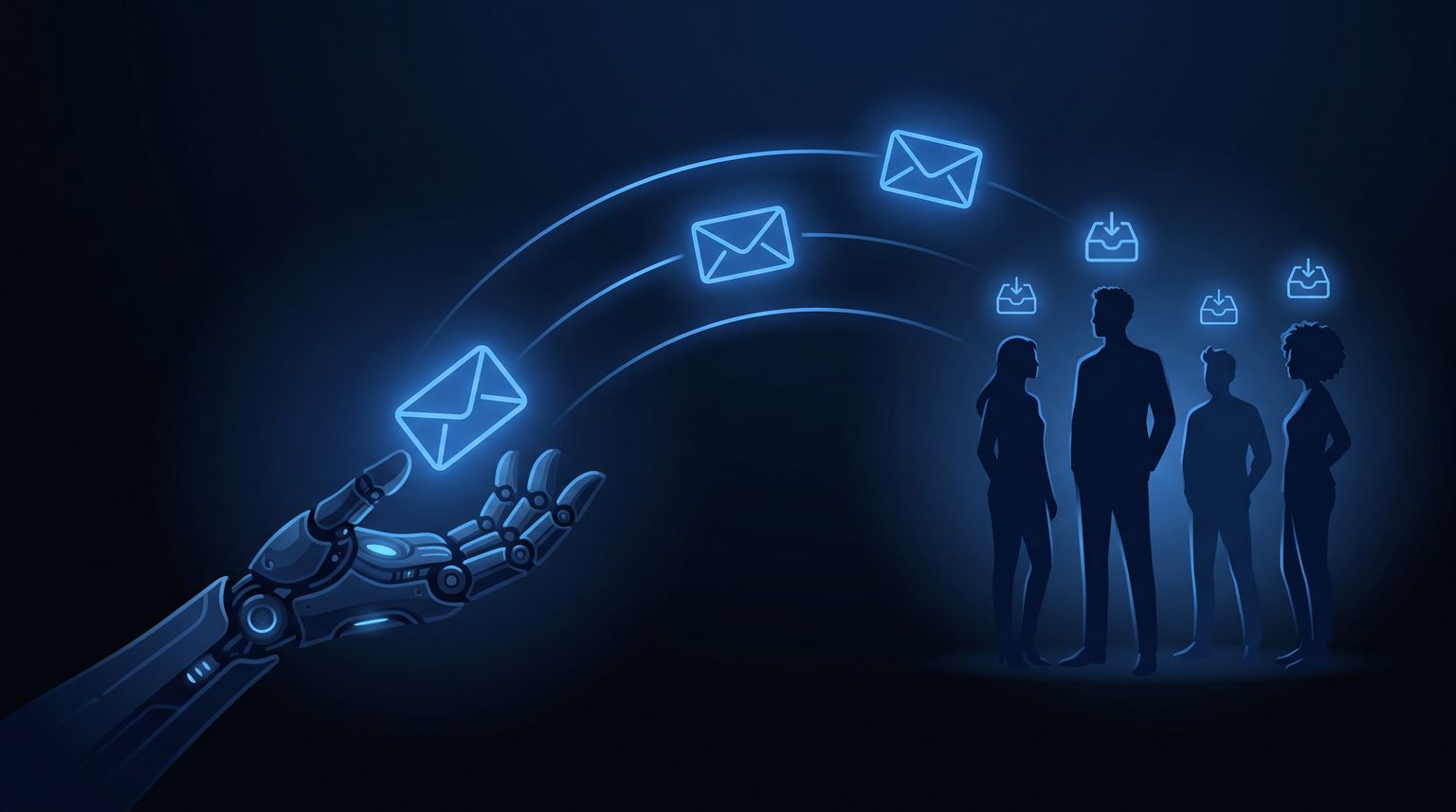
Table of contents
Setup and API examples reviewed 23 September 2026. Original publication date preserved.
CrewAI email integration means two things: giving your agents tools that can send and reply to real email, and turning inbound mail into work the crew picks up. CrewAI has no email transport of its own, so you supply a mailbox API, wrap it in a BaseTool subclass, and run a small webhook receiver that kicks off a crew when a message arrives. This post shows both directions with working code.
The decision you make first, before any code, is whether the crew shares one inbox or each agent gets its own address. That choice determines how your tools are scoped and how replies get routed back.
Retrieve the original before replying
The webhook's data.message_id is a database ID used to retrieve or deduplicate a message. Fetch it with the GET message endpoint, then use the response's message.messageId (the RFC Message-ID) as inReplyTo. Keep data.thread_id for your application's conversation state. Do not use a database ID or thread ID as a reply header. Stop and investigate if the fetched message has no Message-ID.
The Python tool below accepts a database ID and uses this lookup before sending. Include this helper in the same module:
import os
import json
import urllib.request
from urllib.parse import quote

def get_reply_message_id(mailbox_id: str, message_id: str) -> str:
    url = (
        "https://api.robotomail.com/v1/mailboxes/"
        + quote(mailbox_id, safe="") + "/messages/" + quote(message_id, safe="")
    )
    request = urllib.request.Request(url, headers={
        "Authorization": "Bearer " + os.environ["ROBOTOMAIL_API_KEY"]
    })
    # HTTP errors propagate; do not send a reply if retrieval fails.
    with urllib.request.urlopen(request, timeout=20) as response:
        original = json.load(response)["message"]
    if not original.get("messageId"):
        raise ValueError("Original email has no Message-ID")
    return original["messageId"]
Shared inbox or per-agent inbox
Both patterns are valid. Pick based on who the outside world thinks it is talking to.
| Pattern | Addresses | Good for | Cost |
|---|---|---|---|
| Shared crew inbox | support@yourdomain.com |
Customer-facing crews where humans should see one consistent sender | One mailbox |
| Per-agent inbox | researcher@, scheduler@, billing@ |
Internal specialization, clean audit trails, per-agent rate isolation | One mailbox per agent |
| Per-task inbox | order-a4521@ |
Long-running threads tied to a single job (order chasing, an application, a candidate) | One mailbox per job, disposable |
The failure mode of the shared inbox is routing: everything lands in one webhook stream and you need a classifier task to decide which agent owns it. The failure mode of per-agent inboxes is that recipients reply to whichever address emailed them, which is usually what you want but occasionally means an agent receives mail about a topic it does not own.
Per-task mailboxes are underrated. If a crew is chasing one invoice, an address dedicated to that invoice makes correlation trivial: the mailbox ID is the job ID. No subject-line parsing, no thread lookups. We see this used heavily in multi-agent workflows where several crews run concurrently on similar-looking work.
Step 1: provision the mailboxes
Create them ahead of time for stable roles, and on demand for per-task inboxes.
npx @robotomail/cli mailbox create research-agent
Or from your provisioning code, which is what you want for per-task addresses:
import os, requests

def create_mailbox(local_part: str) -> dict:
    r = requests.post(
        "https://api.robotomail.com/v1/mailboxes",
        headers={
            "Authorization": f"Bearer {os.environ['ROBOTOMAIL_API_KEY']}",
            "Content-Type": "application/json",
        },
        json={"address": local_part},
        timeout=15,
    )
    r.raise_for_status()
    return r.json()

crew_mailboxes = {
    "researcher": create_mailbox("research-agent"),
    "scheduler": create_mailbox("scheduling-agent"),
}
Omit domainId and the mailbox lives on a platform domain, which is fine for internal crews and testing. For anything customer-facing, verify your own domain first so the From address matches your brand. See custom domains for the DNS records.
Step 2: build the send and reply tools
CrewAI tools are Pydantic-typed callables. Keep them boring: one tool that sends, one that replies. Do not build a single tool with a mode flag, agents pick the wrong branch.
from typing import List, Optional, Type
import os, requests
from crewai.tools import BaseTool
from pydantic import BaseModel, Field

API_KEY = os.environ["ROBOTOMAIL_API_KEY"]

def _post_message(mailbox_id: str, payload: dict) -> dict:
    r = requests.post(
        f"https://api.robotomail.com/v1/mailboxes/{mailbox_id}/messages",
        headers={
            "Authorization": f"Bearer {API_KEY}",
            "Content-Type": "application/json",
        },
        json=payload,
        timeout=20,
    )
    r.raise_for_status()
    return r.json()


class SendEmailInput(BaseModel):
    to: List[str] = Field(..., description="Recipient email addresses")
    subject: str = Field(..., description="Subject line")
    body_text: str = Field(..., description="Plain text body")


class SendEmailTool(BaseTool):
    name: str = "send_email"
    description: str = (
        "Send a new email from this agent's own mailbox. "
        "Use only for first contact, not for replies."
    )
    args_schema: Type[BaseModel] = SendEmailInput
    mailbox_id: str

    def _run(self, to: List[str], subject: str, body_text: str) -> str:
        msg = _post_message(self.mailbox_id, {
            "to": to,
            "subject": subject,
            "bodyText": body_text,
        })
        return f"Sent message {msg['message']['id']} to {', '.join(to)}"


class ReplyEmailInput(BaseModel):
    to: List[str]
    subject: str
    body_text: str
    in_reply_to: str = Field(..., description="message_id of the inbound email")


class ReplyEmailTool(BaseTool):
    name: str = "reply_to_email"
    description: str = (
        "Reply to an inbound email so it stays in the same thread. "
        "Requires the inbound message id."
    )
    args_schema: Type[BaseModel] = ReplyEmailInput
    mailbox_id: str

    def _run(self, to, subject, body_text, in_reply_to) -> str:
        msg = _post_message(self.mailbox_id, {
            "to": to,
            "subject": subject,
            "bodyText": body_text,
            "inReplyTo": get_reply_message_id(self.mailbox_id, in_reply_to),
        })
        return f"Replied in thread, message {msg['message']['id']}"
Then bind each tool instance to a specific mailbox and hand it to one agent. This is the part that makes per-agent inboxes work: the agent physically cannot send as another agent, because its tool only holds one mailbox ID.
from crewai import Agent

researcher = Agent(
    role="Vendor Research Analyst",
    goal="Get pricing and lead times from suppliers by email",
    backstory="You email suppliers directly and track what they say.",
    tools=[
        SendEmailTool(mailbox_id=crew_mailboxes["researcher"]["id"]),
        ReplyEmailTool(mailbox_id=crew_mailboxes["researcher"]["id"]),
    ],
    allow_delegation=False,
)
For a shared crew inbox, give the same mailbox_id to every agent and add a from_role prefix in the body or a signature so humans can tell which agent wrote. Keep the sending address singular.
Step 3: wire inbound webhooks to crew tasks
Inbound is where most CrewAI email integrations break. CrewAI kickoffs are synchronous and can take minutes. A webhook delivery is not going to wait for that. The pattern that works:
- Receive the webhook, verify it, return 200 immediately.
- Push the message onto a queue with its mailbox ID and thread ID.
- A worker pops the job, builds a
Taskwith the email as context, and callscrew.kickoff(). - The agent's reply tool sends the response with
inReplyToset.
Register the webhook as its own resource pointing at your endpoint. Payloads arrive as { event, timestamp, data } with snake_case fields inside data. The setup details are in webhooks.
from fastapi import FastAPI, Request
from crewai import Crew, Task
import asyncio

app = FastAPI()
queue: asyncio.Queue = asyncio.Queue()

@app.post("/hooks/robotomail")
async def inbound(req: Request):
    payload = await req.json()
    if payload.get("event") == "message.received":
        await queue.put(payload["data"])
    return {"ok": True}


async def worker():
    while True:
        data = await queue.get()
        await asyncio.to_thread(run_crew_for_email, data)
        queue.task_done()


def run_crew_for_email(data: dict):
    triage = Task(
        description=(
            "An email arrived in the crew inbox.\n"
            f"From: {data['from']}\n"
            f"Subject: {data['subject']}\n"
            f"Message id: {data['message_id']}\n"
            f"Thread id: {data['thread_id']}\n\n"
            f"Body:\n{data['body_text']}\n\n"
            "Decide what is being asked, gather what you need, then reply "
            "using reply_to_email with in_reply_to set to the message id above."
        ),
        expected_output="A confirmation that a reply was sent, with the reply text.",
        agent=researcher,
    )
    Crew(agents=[researcher], tasks=[triage]).kickoff()


@app.on_event("startup")
async def start():
    asyncio.create_task(worker())
Two things in that snippet matter more than they look.
Putting message_id in the task description is what lets the agent thread correctly. If the model never sees the ID, it cannot pass it to the reply tool, and your reply shows up as a fresh conversation in the recipient's client. Threading rules are covered in how threading works.
Running kickoff() in a thread keeps the event loop free. If you are on Celery, RQ, or a serverless queue, use that instead and skip the in-process queue entirely.
Routing a shared inbox to the right agent
With one shared mailbox, add a triage agent whose only job is classification, then hand off. Use CrewAI's hierarchical process with a manager, or run a cheap classifier before the crew and select the agent yourself. The second option is faster and cheaper, and you can key it off the recipient address when you use plus-addressing or per-task mailboxes.
Operational details that bite later
Retries and duplicates. Webhook delivery is at-least-once. Store message_id in a table with a unique constraint and drop repeats before you queue. A crew that runs twice on one email sends two replies.
Loops. An agent replying to an auto-responder that replies to the agent will run until your bill notices. Cap replies per thread. Track thread ID, refuse to send more than N messages in a thread without human approval, and skip messages carrying Auto-Submitted or precedence headers.
Tool output size. Long email bodies burn context and confuse smaller models. Truncate body_text to a few thousand characters before it hits the task description, and strip quoted history.
Attachments. Do not let an agent read arbitrary attachments into a prompt without limits. Fetch them explicitly, check type and size, and see attachments for the retrieval flow.
Rate limits. Per-agent mailboxes isolate blast radius: a runaway researcher does not exhaust the scheduler's send budget. Check limits before you fan out to dozens of mailboxes.
If you are also running LangChain agents alongside CrewAI, the tool shape is nearly identical, we cover it in LangChain email integration.
FAQ
Does CrewAI have a built-in email tool?
CrewAI ships tool integrations, but sending and receiving real email needs a mailbox with an address, MX records, and inbound delivery. You supply that with an email API and wrap it in a BaseTool subclass, as shown above.
Should every agent in a crew get its own email address?
Give separate addresses when agents talk to different external parties or when you want per-agent audit trails and rate isolation. Use one shared address when humans should perceive a single sender, and add a triage step to route inbound mail.
How do I keep the crew's replies in the same email thread?
Pass the database message_id to the reply tool shown above. Its adapter fetches the email and sets the API’s inReplyTo to the fetched message.messageId. A direct REST send must supply that RFC Message-ID, not the database ID.
Can I create mailboxes per task instead of per agent?
Yes, and it is often the cleanest option for long-running jobs. Create a mailbox when the job starts, store the mapping from mailbox ID to job ID, and every inbound webhook is already correlated with no parsing required.
Ready to give your crew real inboxes? Provision your first mailbox at robotomail.com or start with the quickstart. The full walkthrough is in our guide on how to give your AI agent an email address.
Give your AI agent a real email address
Create a mailbox, connect your agent and test a conversation. Send, receive and retrieve the thread through one API.
Related posts

LangGraph Email Integration: Inbound Events and Replies
Wire email into LangGraph: inbound webhooks as graph events, send and reply nodes, and human-in-the-loop interrupts resumed by an email reply.
Read post
Hermes Agent Email: Give Your Nous Agent an Inbox
Step-by-step guide to wiring a real email inbox into a Hermes agent: mailbox creation, tool schemas, inbound webhooks, and threaded replies.
Read post
Email for OpenClaw Agents: Full Integration Guide
Wire real email into OpenClaw agents: provision a mailbox, expose send and reply tools, handle inbound webhooks, and keep threading correct.
Read post