← All posts

What Is Email Threading: How It Works & Why It Matters For

Discover what is email threading, how it functions via Message-ID and References headers, and its critical role for AI agents. A complete guide for developers

John Joubert

John Joubert

Founder, Robotomail

What Is Email Threading: How It Works & Why It Matters For

Email threading is the process of grouping related emails into a single conversation, and it matters because more than 347 billion emails were sent and received daily in 2023. For developers building automated systems, that grouping isn't a convenience feature. It's the difference between an agent that understands context and one that replies like every message arrived in isolation.

If you're building an email-enabled agent, you've probably already hit the failure mode. A user replies with "yes, use the second option," and the agent has no idea what the second option was. Or it treats a follow-up as a brand-new request, opens duplicate work, and sends a confusing response.

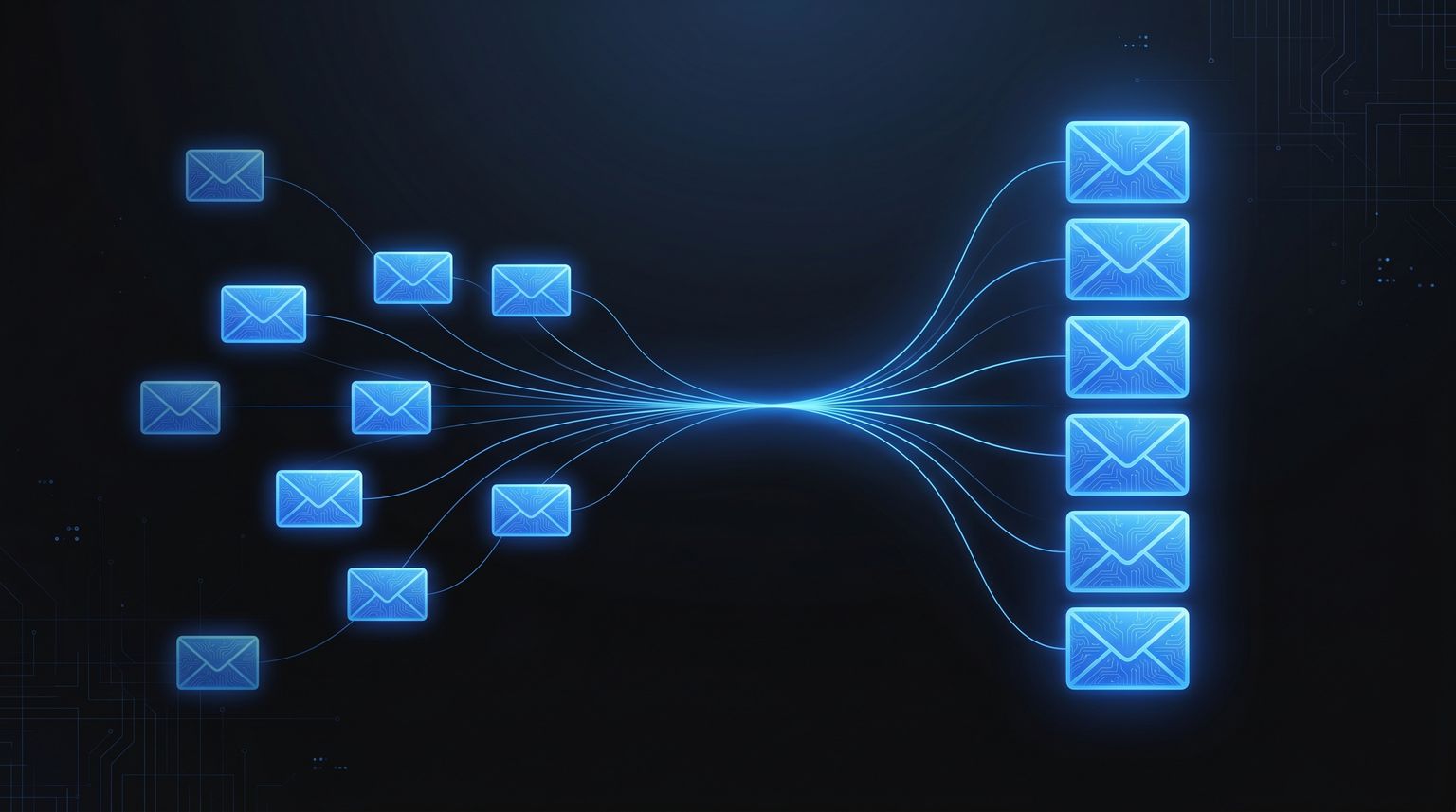
That problem is what email threading solves when it works. It links replies, forwards, and prior context into a single logical conversation so software can reason over the whole exchange instead of one message at a time. In consumer inboxes, that shows up as conversation view. In agent systems, it's infrastructure.

Why Email Threading Is a Developer Problem

An AI agent can write a grammatically correct email and still fail the task.

The common failure isn't language generation. It's lost state. A customer replies "that sounds good" or "please proceed next week," and the system can't connect the reply to the original proposal. Once that link breaks, every downstream behavior gets worse. Routing fails, summaries are incomplete, follow-ups go to the wrong branch of work, and the agent starts acting stateless.

Context loss breaks automation

For a human, reconstructing the conversation is annoying. For a program, it's impossible unless you give it a reliable thread model.

Email threading is the process of grouping messages into a single logical conversation. In eDiscovery systems, that grouping is used to identify unique messages, duplicates, hierarchy, and inclusive content so reviewers don't have to inspect every reply separately. Relativity's product documentation describes threading as gathering forwards, replies, and reply-all messages together into one conversation structure, which is a good operational definition for developers too: Relativity email threading documentation.

That matters because you can't scale manual reconstruction. With over 347 billion emails sent and received daily in 2023, automated conversation grouping isn't optional in large systems: global daily email volume in 2023.

Practical rule: If your agent stores only the latest message body and ignores thread structure, it doesn't have conversational memory. It has a queue.

Threading changes system design

Once you treat email as conversation state instead of isolated messages, your architecture changes:

  • Inbound handling changes because you need to attach each new message to an existing conversation whenever possible.
  • Prompt construction changes because the model needs the right slice of prior context, not the entire mailbox.
  • Action tracking changes because approvals, corrections, and follow-ups often arrive as replies to earlier work.
  • Idempotency changes because duplicate replies and quoted history can trick naive systems into reprocessing old instructions.

This is why "what is email threading" is really a systems question. The inbox UI made it familiar. Autonomous agents make it critical.

The Technical Foundation of Email Threads

At the protocol level, email threading is mostly a message-correlation problem. The clean version is straightforward: each message carries identifiers that let clients and servers reconstruct the reply chain.

The Technical Foundation of Email Threads

The three headers that matter most

Think of an email thread like a Git history.

Each message is its own object. A reply points back to an earlier object. A full chain can also carry ancestry. In practice, the key fields are:

Header What it does Why it matters
Message-ID Identifies one specific email message Gives the message a stable identity
In-Reply-To Points to the direct parent message Tells you what this email is replying to
References Lists earlier message IDs in the conversation Helps reconstruct the broader thread history

A threading engine uses those fields to rebuild a conversation tree. If message C replies to message B, and B replied to A, then In-Reply-To and References give you enough structure to place C in the right branch.

The clearest framing is this: email threading works by matching RFC-style identifiers such as Message-ID, In-Reply-To, and the References chain. If a reply includes references to earlier IDs that aren't present in your dataset, an engine can still infer the conversation, but it may mark the thread as incomplete: message-correlation view of email threading.

Why headers are better than subjects

Junior developers often start with subject lines because they're visible and easy to parse. That's useful as a fallback, but it isn't the foundation.

Subjects are presentation. Headers are lineage.

A subject can stay the same when the topic has changed, and it can change even when the conversation hasn't. A reply chain based on identifiers is much more reliable because it models parent-child relationships directly.

When threading logic disagrees with the subject line, trust the identifiers first and treat the subject as supporting evidence.

What robust processing actually does

In production systems, you rarely stop at raw header matching. Operational threading pipelines usually add a few deterministic steps:

  • Normalize reply and forward wrappers so quoted content doesn't confuse message boundaries.
  • Extract body segments to separate new text from prior quoted text.
  • Handle missing ancestors so partial datasets still produce usable threads.
  • Order messages by relationship first, timestamp second to avoid weird displays when clocks drift or messages arrive late.

That last point matters for agents. If you feed a model the wrong parent message, the model may produce a coherent answer to the wrong question.

This also connects to compliance-sensitive workflows. If you're handling regulated communication, context and message continuity affect review, routing, and retention. For teams thinking through those implications, Orbit AI's guide to PHI and email security is a useful companion read because it focuses on the operational risk around email handling, not just transport.

How Real-World Email Clients Handle Threading

The RFC-shaped version of threading is neat. Real inboxes aren't.

Clients have to cope with missing headers, malformed messages, forwarded content, and inconsistent sender behavior. When the clean metadata path breaks, they fall back to heuristics. That's where visible behavior starts to diverge across products.

How Real-World Email Clients Handle Threading

Conservative versus aggressive grouping

Some clients lean toward keeping messages separate unless the relationship is obvious. Others aggressively merge messages that look related.

A practical way to understand it:

  • Conservative clients reduce false grouping but can fragment a real conversation.
  • Aggressive clients preserve continuity better when metadata is weak, but they can merge unrelated messages that happen to look similar.

Outlook is usually perceived as more conservative in day-to-day use. Gmail's conversation behavior is often more willing to unify related-looking replies into a single view. That trade-off matters if you're testing an agent against one mailbox provider and deploying against another. The human recipient may see thread structure differently from your backend.

Common fallback signals

When headers aren't enough, clients often lean on a short list of signals:

  • Subject similarity. "Re:" and related variants suggest continuity, but this is weak evidence.
  • Timestamp proximity. Messages close together in time are more likely to belong together.
  • Quoted body content. Shared quoted text can reveal ancestry even when a client omitted proper reply headers.
  • Participant overlap. Similar sender and recipient sets can strengthen a grouping guess.

None of those are guaranteed. All of them can fail.

A quick visual walkthrough of email conversation behavior in common inboxes helps make the gap obvious:

What this means for backend systems

You can't assume that because a human sees "one conversation" in Gmail, your backend should treat those messages as one canonical thread. You also can't assume the opposite.

The safest approach is to separate protocol threading from display grouping. Build your internal model from message identifiers and explicit ancestry. Then, if you need a UI or a human-facing summary, layer heuristic grouping on top.

A mailbox client optimizes for readability. Your agent pipeline has to optimize for correctness.

That's why developers get surprised by threading bugs. The UI made email look simpler than it is.

Common Problems and Threading Edge Cases

Most broken threads don't come from exotic protocol failures. They come from ordinary human behavior colliding with imperfect clients.

A support rep replies to an old email to start a new topic. A mailing list rewrites the subject. Someone forwards part of a conversation to a new recipient, which creates a fresh message identity around old content. To a person, those are understandable shortcuts. To software, they're ambiguous lineage.

Three failure modes you'll see quickly

Thread hijacking is the classic one. Someone opens an old message, hits reply, and starts discussing something new because the previous email was handy. The headers say "same conversation." The semantics say "new topic."

Header loss is another. Some systems strip or fail to preserve In-Reply-To or References, especially when messages pass through gateways, list software, or custom senders. Now your engine has fragments instead of a chain.

Subject drift causes the reverse problem. A real conversation continues, but the subject changes enough that clients or fallback logic split the discussion into separate threads.

Inclusive emails explain why this matters

In eDiscovery, threading isn't just about organizing a mailbox. It's used to identify inclusive versus non-inclusive emails. An inclusive email contains the full prior conversation and attachments for a thread group, which lets a reviewer inspect one canonical message instead of re-reading every intermediate reply. Relativity notes that this lowers review volume and reduces errors in review workflows: inclusive emails in eDiscovery threading.

That same idea maps directly to agent design.

If your agent can't identify the canonical message that contains the current state of the conversation, it will reprocess stale fragments, duplicate work, and sometimes answer from the wrong point in history.

The email that matters most is often not the newest one. It's the newest inclusive one.

What works and what doesn't

A few patterns hold up well in production:

  • Works well. Building thread identity from headers first, then using body analysis to recover from missing ancestry.
  • Works well. Detecting topic shifts even inside a technical thread, especially when the reply text no longer semantically matches the parent.
  • Doesn't work well. Grouping by subject line alone.
  • Doesn't work well. Treating forwards as guaranteed continuation of the original thread.
  • Doesn't work well. Assuming every latest reply supersedes all prior instructions.

The subtle bug is that many systems don't fail loudly here. They fail plausibly. The agent still responds. It just responds to the wrong conversation.

How to Debug a Broken Email Thread

When a thread breaks, don't start with the rendered inbox. Start with the raw message source.

Threading bugs are usually inspectable. Somewhere in the headers, you'll find a missing parent reference, a truncated References chain, or a message that looks like a reply in the subject but has no actual reply metadata.

How to Debug a Broken Email Thread

A practical debugging checklist

Use "View original," "Show source," or the equivalent in the mail client you're testing with. Then walk the chain.

  1. Find the message's Message-ID
    Confirm the current message has a distinct identifier. If it doesn't, you're already in recovery mode.

  2. Check In-Reply-To
    If this is a real reply, that field should usually point to a parent message ID.

  3. Read the References chain
    This is often the fastest way to see whether the message belongs to an existing conversation or whether the lineage was broken midstream.

  4. Compare subject and ancestry
    If the subject looks like a reply but the reply headers are absent, the sender or client may have created a new message that only looks threaded in the UI.

  5. Inspect the body structure
    Quoted content often reveals the true parent, even when headers are incomplete.

How to isolate the break point

A broken thread usually has one message where continuity stops. Look for patterns like these:

  • Missing parent. In-Reply-To references a message your system never received or stored.
  • Abrupt ancestry reset. The References chain is much shorter than expected.
  • New root with old content. A forwarded or manually composed email includes quoted history but starts a fresh lineage.
  • Display-only continuity. The subject uses reply prefixes, but the protocol metadata says this is a new conversation.

Put the messages in a small table while you debug:

Message Message-ID present In-Reply-To present References continuity Likely issue
A Yes No Starts chain Root message
B Yes Yes Continues Healthy reply
C Yes No Missing or reset New root or malformed reply

How to think about fixes

There are two classes of fixes.

The first is sender-side correctness. If you're generating outbound email, preserve proper reply metadata every time. That prevents most avoidable breaks.

The second is receiver-side resilience. Your parser should tolerate partial ancestry, infer likely relationships from body structure, and mark uncertain joins as inferred rather than certain.

Debug threading like you debug distributed systems. Trace identifiers first, then inspect timing, then inspect payload content.

That mindset keeps you from chasing visual artifacts in the inbox UI.

Why Threading Is Essential for AI Agents

For an AI agent, a thread is part of the state machine.

A stateless notification bot can get away with treating each inbound email as an isolated event. A useful autonomous agent can't. It has to understand whether a message is an approval, a correction, a follow-up, a rejection, or a side question attached to previous work. None of that is reliably available from the latest email alone.

Why Threading Is Essential for AI Agents

Stateful behavior depends on thread integrity

Consider two systems.

The first agent receives "approved" and marks a task complete. That's easy.

The second agent receives "approved, but use the revised contract from Tuesday and copy legal on the final version." That agent needs to know what changed on Tuesday, which prior draft is being referenced, and who was already in the conversation. Without threading, it can't reliably resolve any of that.

This is why email threading isn't a display preference for agent builders. It's part of memory, action selection, and safety.

Machine-generated mail makes the problem sharper

Threading research on machine-generated email treats the task as a machine learning problem focused on identifying sequences of messages related to a single logical event. The research points out that syntactic analysis of headers remains the primary method, but it also makes clear that for automated systems, reliable threading is an analytical task, not just a UI concern: threading machine-generated email research.

That distinction matters in agent workflows because machine-generated messages often have fewer human cues. They may be templated, repetitive, or narrowly structured. Humans can infer continuity from context and habit. Agents need explicit correlation.

For teams designing orchestration across multiple tools, Applied's write-up on practical AI orchestration strategies is useful because it frames a broader truth: once agents coordinate work across systems, state management becomes the hard part. Email threads are one expression of that problem.

What a threaded agent can do

A well-threaded email agent can:

  • Continue open tasks instead of creating duplicates on every reply
  • Pull the right context window for summarization or response generation
  • Track unresolved questions across multiple back-and-forth turns
  • Preserve recipient intent when a short reply depends entirely on prior history
  • Maintain outbound continuity by sending responses that preserve thread lineage

If you're implementing an email-capable assistant, the design question isn't whether to keep thread state. It's how much of your system depends on it. In most practical deployments, the answer is "almost all of it." A useful reference point is this overview of an AI email assistant workflow, which reflects the broader pattern that message handling and conversational continuity have to be designed together.

Implementing Robust Threading with Robotomail

You can build threading yourself. Many teams do at first.

Then the edge cases pile up. You end up writing header parsers, ancestry resolvers, reply-body splitters, fallback heuristics, duplicate detectors, and a half-dozen patches for clients that don't behave the way the spec suggests they should. None of that is the core product for most agent teams.

What a practical implementation needs

A durable email threading layer should do a few things consistently:

  • Preserve outbound reply metadata so your own messages continue the conversation correctly.
  • Attach inbound messages to existing threads using identifier-based correlation rather than subject-only grouping.
  • Expose thread state through an API so the agent can fetch the right conversation history without rebuilding it ad hoc.
  • Handle partial data because real email streams are rarely complete.
  • Separate canonical thread identity from UI display choices so your automation stays stable even when inbox clients vary.

Robotomail is one option built around that model. According to the publisher information provided for this piece, it is an email infrastructure platform for AI agents that preserves context across conversations through automatic threading and supports send-and-receive workflows without manual mailbox provisioning. For developers who want the thread model exposed directly, the relevant API surface is in the Robotomail threads API documentation.

Best practices for agent-native workflows

If you're using a platform layer for email threading, keep your application logic disciplined:

  • Store your own conversation state anyway. The transport thread and the business workflow aren't always identical.
  • Treat inferred joins differently from explicit joins. Confidence matters when the agent is about to take action.
  • Summarize per thread, not per message. That cuts repeated context and improves response quality.
  • Write outbound replies as descendants of the correct parent. A good internal model won't help if your sender breaks lineage on the next turn.

The cleanest systems keep threading below the prompt layer. The model shouldn't have to guess whether two messages belong together. Your infrastructure should decide that first.


If you're building autonomous email workflows, Robotomail is worth evaluating as the email infrastructure layer so you can spend your time on agent behavior instead of mailbox provisioning, reply metadata, and thread reconstruction.

Give your AI agent a real email address

One API call creates a mailbox with full send and receive. Webhooks for inbound, automatic threading, deliverability handled. 30-day money-back guarantee.

Related posts