What Is an Incoming Email Server? a Developer's Guide
Learn what is an incoming email server from a developer's perspective. We cover mail flow, IMAP/POP3, ports, security, and modern API-based inbound handling.

John Joubert
Founder, Robotomail
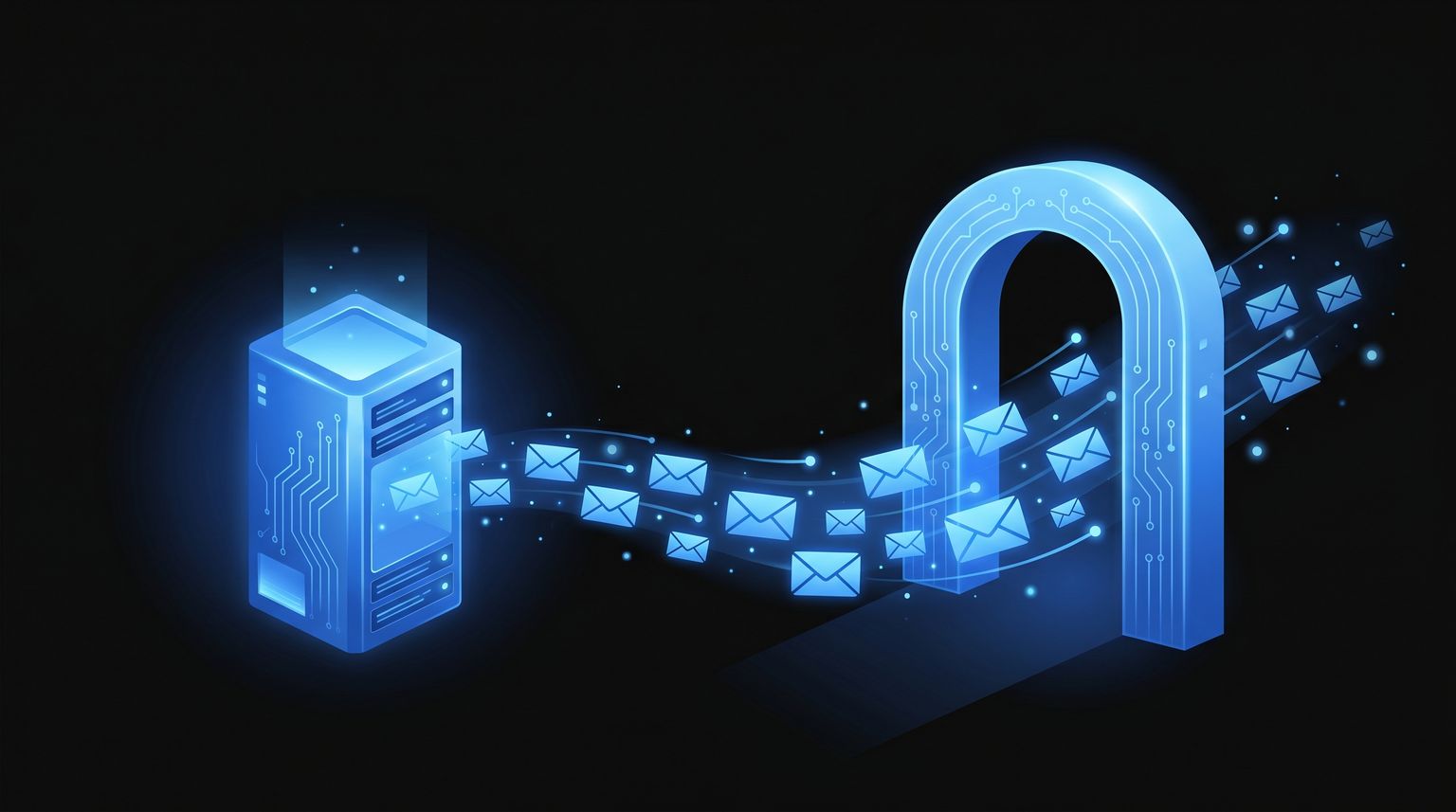
Table of contents
Your product team wants the app to watch a shared inbox, parse replies, and trigger workflows. That sounds simple until you realize email wasn't designed around clean event payloads. It was designed around servers exchanging messages, clients retrieving them, and a long trail of settings that break in annoying ways.
That's why developers eventually ask the same question admins have asked for years. What is an incoming email server? In practical terms, it's the system that receives mail for a domain, stores it, and exposes it so a user or application can retrieve it. If you're building software, that makes it part mailbox backend, part access layer, and part failure point.
For humans, this usually shows up as Outlook asking for a host name, username, port, and encryption setting. For software, it shows up as polling IMAP, parsing raw MIME, handling auth, and trying not to miss messages or process the same one twice. If your use case is automation, that difference matters more than the textbook definition.
Your App Needs to Read Emails Now What
A common build path goes like this. First, the team says, “let's just monitor an inbox.” Then someone adds a Gmail account for support, sales, intake, or approvals. Then the app needs to react when a message arrives, extract structured data, and hand it to a queue, CRM, or agent workflow.
At that point, an incoming email server stops being background infrastructure and becomes part of your application surface area.
The server's job is straightforward at a high level. It receives mail from the network, stores it in the right mailbox, and lets a client retrieve it through IMAP or POP3. In real deployments, IMAP is the modern default because it keeps mail on the server and syncs state across devices, while POP3 usually downloads mail to one device and may remove it from the server unless configured otherwise, as summarized in Youstable's explanation of incoming and outgoing mail servers.
What developers usually underestimate
The hard part isn't only getting mail into a mailbox. The hard part is making inbound mail reliable enough for software.
- Polling creates lag: If your worker checks every few minutes, automation feels delayed.
- Mailbox state is messy: Read flags, folder moves, retries, and duplicate processing all become your problem.
- Parsing is fragile: Real emails contain HTML, attachments, forwarded chains, quoted replies, and broken formatting.
If your workflow starts from user email behavior, it helps to think in actions instead of messages. A practical example is this guide on how to turn emails into tasks in Gmail, because it mirrors the same question developers face at larger scale: how do you convert inbox events into structured work?
Practical rule: If software needs to react to inbound mail, treat the mailbox as an integration point, not as a passive inbox.
The Journey of an Email to Your Inbox
An email doesn't jump from one app to another. It moves through a delivery chain. If you don't have that mental model, debugging mail issues becomes guesswork.
Near the start of that chain, the sender hands the message to an outgoing server. That server then has to figure out where the destination domain receives mail. It does that by looking up the domain's MX records, which identify the mail endpoint responsible for accepting incoming mail.

The handoff between routing and delivery
It is common for people to blur two different jobs into one vague “email server” idea.
According to the overview of email system architecture at RBLDNS, the incoming email server is the endpoint listed in a domain's MX records. It functions as the Mail Delivery Agent (MDA), receiving messages from the Mail Transfer Agent (MTA) which handles routing between domains. This separation allows delivery issues to be isolated to DNS, transport, or storage layers.
That separation is useful because different failures point to different owners.
- DNS problem: The sender can't find where to deliver mail.
- Transport problem: One server can't hand off the message to another.
- Storage problem: The destination accepted the message but didn't place it correctly in the mailbox system.
A developer-friendly way to think about it
Use the postal model, but keep it technical.
- A sender composes the message.
- The sender's outgoing server accepts it for delivery.
- That server checks MX records for the recipient domain.
- The message is transferred to the recipient's incoming server.
- The incoming server stores it in the target mailbox.
- A mail client or app retrieves it.
- The message becomes visible in the inbox.
Video helps if you want a quick visual refresher before touching configuration:
The transport layer gets the message to the domain. The incoming server makes it available to the recipient.
That distinction matters when you build automations. If your app says “email never arrived,” you need to know whether it failed before the domain accepted it, or whether it arrived and your retrieval logic never saw it.
Accessing Your Mail IMAP vs POP3 Explained
Once the message is sitting on the receiving side, the next question is access. For this purpose, developers usually encounter IMAP and POP3.
The short version is simple. If you want a mailbox to behave consistently across devices, users, and automations, use IMAP. If you want one client to download mail locally and you don't care much about synchronized state, POP3 can still work. For most modern software, POP3 is the wrong default.
As described in Mailtrap's overview of email servers, the incoming server exposes IMAP or POP3 endpoints for client access, distinct from SMTP, and those protocol choices affect synchronization behavior and recovery across devices.
What the protocol choice changes in practice
The protocol doesn't just change a connection string. It changes the behavior of the mailbox.
| Feature | IMAP (Internet Message Access Protocol) | POP3 (Post Office Protocol 3) |
|---|---|---|
| Message storage | Keeps mail on the server | Typically downloads mail to one device |
| Multi-device access | Good fit for synced inboxes | Poor fit for shared state |
| Read and folder state | Server-side state is preserved | State is usually local to the client |
| Common use case | Phones, laptops, shared inboxes, automation | Single-device retrieval, legacy setups |
| Standard ports | 143 and 993 | 110 and 995 |
The protocol and port defaults above align with the guidance documented by major vendors in the verified material. The same defaults appear across mainstream setup flows because they still underpin day-to-day email access.
The settings that actually break connections
Microsoft's setup guidance says incoming accounts usually use 143 or 993 for IMAP and 110 or 995 for POP, and that users must supply the correct host name, username, and port in client configuration, as outlined in Microsoft's mail server settings documentation.
That sounds boring until you've debugged it in production. A mailbox can be healthy while the client still fails because the app points at the wrong host, uses the wrong port, or mismatches encryption expectations.
IMAP is usually the sane choice
For developers, IMAP fits the way modern inboxes behave.
- Shared state matters: Read status and mailbox contents stay consistent across devices and workers.
- Recovery is easier: If one consumer fails, the messages still exist on the server.
- Automation is less destructive: Your code doesn't need to “take” the message off the server to process it.
POP3 still exists for a reason
POP3 isn't useless. It's just narrower.
- Local archive workflows: Some teams want mail pulled to a single controlled environment.
- Very simple clients: Older systems sometimes only support POP-style retrieval.
- Low-complexity access: If synchronization is irrelevant, POP3 can be enough.
If your broader concern is deliverability around mailbox usage and domain reputation, this overview of domain warm-up and monitoring is useful context. It focuses on outbound reputation, but it helps explain why email systems rarely behave like a simple request-response API.
If you expect users, mobile apps, and backend jobs to see the same mailbox state, POP3 will fight you.
How Servers Validate Incoming Mail
An incoming server doesn't just accept whatever hits the domain. It evaluates whether a message looks legitimate enough to place in a mailbox, quarantine, or reject. That validation work is where email security gets practical.
Most developers first meet SPF, DKIM, and DMARC on the sending side. The more useful view is the receiving side. Those records exist so the server receiving mail can decide whether to trust what it sees.

What the server is checking
An inbound server typically evaluates several signals before a message reaches the user-facing inbox.
- SPF check: The receiver checks whether the sending server is authorized for the sender's domain.
- DKIM check: The receiver verifies a cryptographic signature to detect tampering and confirm domain-level authenticity.
- DMARC policy: The receiver uses the domain owner's policy to decide how to handle failures.
If you need a refresher on the DNS layer behind those records, Robotomail has a useful primer on DNS for email.
Security is more than authentication records
Passing authentication doesn't automatically mean a message is safe or wanted. Incoming servers also apply anti-abuse controls that are less visible to developers but very real in production.
Common examples include:
- Spam filtering: Bulk or suspicious patterns can downgrade or divert a message.
- Virus scanning: Attachments and links may be inspected before delivery.
- Content analysis: The server may evaluate headers, formatting, and wording for phishing or impersonation signals.
- Rate controls: Repeated inbound bursts from a source can trigger defensive behavior.
A message can be syntactically valid, authenticated, and still treated as unsafe.
For developers building inbound automation, this matters because “not seen by the app” doesn't always mean “not delivered.” Sometimes the message was accepted and filtered. Sometimes it was quarantined upstream. Sometimes the sender failed checks and the receiving system refused to trust it.
The practical takeaway is simple. Your software sits on top of a policy engine, not a neutral message bucket.
Troubleshooting Common Connection Issues
Your worker tries to read a mailbox, the login succeeds on one machine, fails in production, and nobody can tell whether the bug is in your code, the provider settings, or the mailbox itself. That is the normal shape of inbound email debugging.
Incoming mail problems usually come from mismatched assumptions between your app and the mail server. The fastest way to fix them is to test the path in layers: network connection, TLS, authentication, mailbox selection, then message retrieval.
Connection failed
Start with the values your code is using: host, port, encryption mode, username, and auth flow. A large share of failures come from pairing the right host with the wrong security expectation. For example, IMAP commonly uses port 993 for implicit TLS and 143 for a plaintext connection that upgrades with STARTTLS. POP3 commonly uses 995 for implicit TLS and 110 with STARTTLS support, as described in the IANA service name and port number registry.
This matters in application code because a socket timeout, TLS handshake failure, and login rejection can all look like the same generic "cannot connect" error if your client library collapses exceptions.
Check the raw failure mode before changing settings.
Authentication errors
Authentication failures tend to fall into a few predictable buckets:
- Wrong username format: Some providers expect the full email address. Others map a short account name.
- Wrong auth mechanism: Basic auth may be disabled, forcing OAuth 2.0 or an app password.
- Wrong mailbox target: Shared inboxes, delegated mailboxes, and aliases often authenticate differently from the primary account.
- TLS certificate validation problems: If your environment lacks the right CA bundle, auth may never start because the secure session fails first.
For developers, the trade-off is simple. Hardcoding "works in my mail client" assumptions into backend jobs is fragile. Log the negotiated protocol, auth method, and selected mailbox so production failures are diagnosable.
Mail appears on one device but not in your app
This usually means the message exists, but your retrieval model is wrong.
- POP3 changed the state model: One client may have downloaded the message already, depending on server and client settings.
- The app is reading the wrong folder: Inbox, All Mail, archive folders, and provider-specific labels do not map cleanly across systems.
- A rule moved the message immediately: Your code polls Inbox, but the server filed the message elsewhere before the poll ran.
- Your sync cursor is wrong: If you track UIDs or message IDs incorrectly, your app can skip mail that is present on the server.
If mail is accepted but your application still does not see it, this guide on emails not downloading from server is a useful next check.
A diagnostic order that saves time
Use a sequence that isolates one layer at a time:
- Confirm the protocol. Use IMAP or POP3 intentionally. Do not inherit a default from an old library config.
- Match the port and TLS mode. Wrong pairings fail before mailbox access even starts.
- Verify the exact account identity. Test with the same credentials, token scope, or delegated mailbox your app uses in production.
- List folders before fetching messages. This catches wrong-mailbox and wrong-folder bugs early.
- Check for the message on the server. If it exists server-side, the problem is in retrieval, parsing, or state tracking.
Debugging inbound email gets easier once you separate connection, authentication, mailbox access, and message sync into different failure points.
That separation is what traditional mail setups often hide from developers. You do not just "connect to an inbox." You are programming against an old protocol stack with stateful behavior, provider-specific quirks, and weak error reporting.
The Modern Developer Approach to Inbound Email
Traditional inbound mail integration usually means polling an IMAP mailbox, storing message IDs somewhere, parsing raw messages, and building retry logic around a protocol that wasn't designed for application events. It works. It also produces a lot of glue code you probably didn't want to own.
That's why modern teams increasingly separate two concerns. They let email infrastructure handle mailbox mechanics, then consume inbound mail through an application-friendly interface such as webhooks, polling APIs, or event streams.
Why classic polling hurts
Polling IMAP is manageable for a side project. It gets painful when the mailbox matters to a product workflow.
- You waste cycles checking for nothing: The worker asks the server the same question over and over.
- You build idempotency by hand: Duplicate fetches and partial failures are normal.
- You parse too low in the stack: MIME boundaries, attachments, inline content, and thread reconstruction all leak into application code.
What developers usually want is much simpler. “Tell me when mail arrives, give me a stable payload, let me respond, keep thread context intact.”
Event-driven inbound is a better fit
A webhook-based or stream-based model lines up with how modern systems are built.
- Webhooks push events to your app when a new message arrives.
- Server-Sent Events give you a live feed without mailbox polling loops.
- API retrieval lets you fetch normalized message data after the event instead of scraping client state.
That model is especially useful for AI agents and workflow engines, because the mailbox becomes an event source, not a screen a human has to open.

One option built around that model
For teams that want a real mailbox without owning the whole mail stack, Robotomail provides mailbox creation through API, supports send and receive, and handles inbound through webhooks, Server-Sent Events, or polling. According to the product information provided, developers can provision mailboxes through REST, CLI, or SDKs, and the platform supports custom domains with auto-configured DKIM, SPF, and DMARC, automatic threading, attachment handling, and HMAC-signed inbound events.
That changes the implementation shape quite a bit.
| Traditional approach | API-driven approach |
|---|---|
| Configure mailbox access manually | Create mailboxes programmatically |
| Poll IMAP for changes | Receive inbound events |
| Parse raw mailbox state | Consume structured payloads |
| Rebuild threads in application code | Use provider-managed conversation context |
| Debug server settings directly | Work against a service abstraction |
This doesn't mean IMAP and POP3 disappeared. They're still foundational. It means many application teams no longer want to integrate at that layer unless they have a specific reason.
For automated workflows, that's the right instinct. If the requirement is “agent receives email, decides, replies, and continues the thread,” then mailbox infrastructure should feel like a service dependency, not a subsystem your team has to babysit.
From Mailbox to API Your Final Takeaway
The old answer to “what is an incoming email server” is still correct. It's the system that receives mail for a domain, stores it, and exposes it for retrieval. That foundation hasn't gone away.
What has changed is the developer relationship to that system.
You still need the mental model. Messages are routed to the domain through MX records. The receiving side stores them. Clients retrieve them through IMAP or POP3. Security checks decide what gets trusted. Misconfiguration breaks access in predictable ways.
But if your real goal is automation, you probably don't want to live at that layer. You want inbound email represented as events, normalized payloads, and stable APIs. That's the shift. The incoming server is still there, but for many product teams it's become infrastructure behind a cleaner interface.
The best developer outcome usually isn't “we managed a mailbox correctly.” It's “the app received the message, understood it, and moved the workflow forward.”
If you're building agents or automated workflows that need real email addresses with send-and-receive support, Robotomail is worth a look. It gives you programmatic mailbox provisioning and inbound handling through APIs, webhooks, or Server-Sent Events, so you can work with email as application infrastructure instead of stitching together mailbox polling and manual setup.
Give your AI agent a real email address
One API call creates a mailbox with full send and receive. Webhooks for inbound, automatic threading, deliverability handled. 30-day money-back guarantee.
Related posts
Best Email API for Agent Workflows
Compare email APIs for agent workflows on inbound webhooks, per-agent mailboxes, threading and reply loops, with working code to ship today.
Read post
Alternatives to the Gmail API for AI Agents
Why the Gmail API fights autonomous agents: OAuth refresh, quota units, per-seat costs. Compare agent-native email APIs, SMTP+IMAP, and inbound webhooks.
Read post
Mailbox for AI Agents: Provision One via API
Give an AI agent a real, addressable mailbox with one API call. Send, receive, thread, and skip SMTP config and OAuth consent screens entirely.
Read post