Your Mail PHP Sender Guide: 3 Ways to Send Email in 2026
Learn how to choose the right mail PHP sender. A hands-on guide to the mail() function, PHPMailer with SMTP, and modern REST APIs for reliable email delivery.
John Joubert
Founder, Robotomail

Table of contents
You've probably hit the classic PHP email moment already. The code is tiny, mail() returns true, your app moves on, and the message never shows up. Or it lands in spam, or the recipient replies days later saying they never got anything. That gap between “accepted by my code” and “delivered” is where most PHP mail sender guides fall apart.
The old mental model was simple. A PHP script sends mail, the server handles the rest, and email is somebody else's problem. That model breaks down fast in real products. It breaks even harder in AI agent workflows, where an agent has to send, receive, detect failures, retry deterministically, and keep thread context intact. If your mail layer can't expose send failures, bounce events, or inbound replies in a machine-friendly way, the agent can't operate reliably.
A practical mail PHP sender strategy in 2026 means choosing the right layer for the job. There are still three main routes: the built-in mail() function, an SMTP library such as PHPMailer, or an API-first service. They don't solve the same problem. They represent stages in PHP email evolution, and for serious systems, especially agent-native ones, that difference matters.
Why Sending Email in PHP Is Deceptively Hard
An agent sends a password reset, marks the task complete, and moves on. Ten minutes later the user is still locked out because the message never reached the inbox, no bounce event came back, and your system has no idea anything went wrong.
That is the difficulty in PHP email. The send call is easy. Operating email as part of a production system is hard.
PHP grew up in an era where a web app could hand a message to the server and trust the local mail setup to do the rest. Serious applications do not get that luxury now. Email sits inside login recovery, invoices, support workflows, onboarding, and automated agent actions. In those paths, "message accepted by PHP" is a weak signal.
Delivery is not the same as acceptance
A send function can succeed while the email still fails later in the pipeline. The host may accept the message, then the upstream server may reject it for SPF or DKIM issues, rate limits, missing reverse DNS, or plain reputation problems. From the application side, those failures often look identical to success unless you built a way to observe them.
That distinction wastes engineering time. Junior developers debug templates and headers while the actual problem lives in DNS, server configuration, or the reputation of the sending IP.
Practical rule: if the application needs to know what happened after handoff, local mail sending by itself is not enough.
Modern systems need observability
Traditional PHP mail guides spend a lot of time on From, Reply-To, and MIME formatting. Those details matter, but they are only part of the job. For autonomous systems, the harder requirement is observability: can your stack report bounces, complaints, deferrals, opens, replies, and inbound messages in a format your application can act on?
As noted in this discussion of PHP mail sender limitations for production workflows, the basic PHP approach does not give you built-in event tracking or webhook-driven feedback loops. That gap matters a lot for agent-native stacks. An AI agent cannot infer that a send failed because a human noticed the missing message later. It needs machine-readable events so it can retry, switch channels, pause a workflow, or ask for human review.
That is the break point between a simple contact form and an email subsystem you can trust.
The three approaches that matter
PHP email usually falls into three buckets:
- Local server mail:
mail()hands the message to the host and hopes the host is configured correctly. - SMTP through a library: tools like PHPMailer talk to a real mail provider with authentication and better protocol support.
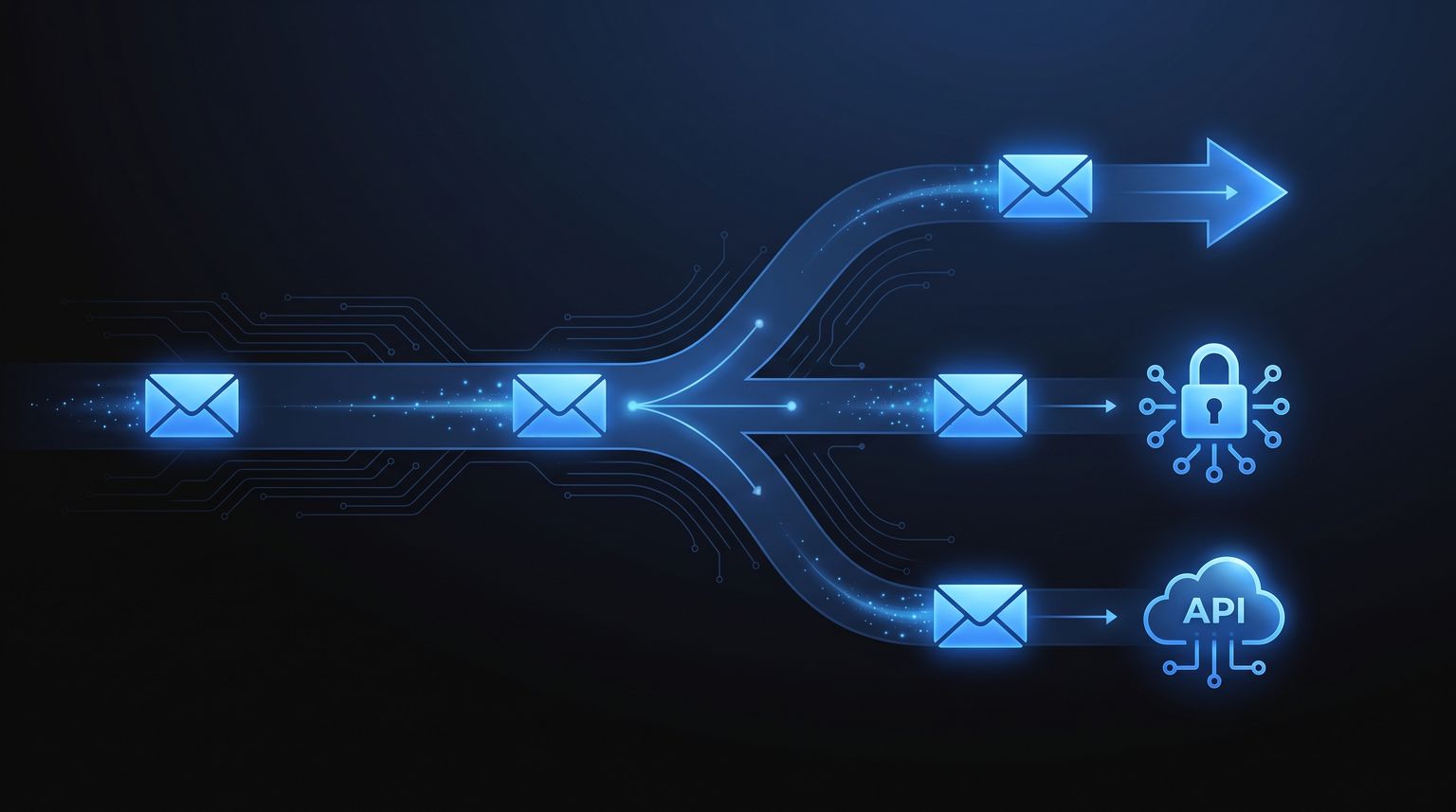
- API-first email services: the app sends over HTTP and gets delivery events, bounce data, and inbound handling through webhooks.
Each layer solves a different problem.
For a small internal tool, SMTP may be enough. For AI agents, background workers, and any workflow that has to react to failures without guesswork, API-first sending is usually the safer design because it gives the application feedback instead of silence.
The Legacy Method Using PHPs mail() Function
A lot of PHP developers meet email through mail(). It is built in, the code is short, and on the right server it can appear to work on the first try. That first success is why old tutorials keep it alive.
A minimal example looks like this:
<?php
$to = 'recipient@example.com';
$subject = 'Test email';
$message = "Hello,\r\nThis is a plain-text test email.";
$headers = "From: app@example.com\r\nReply-To: support@example.com\r\n";
$sent = mail($to, $subject, $message, $headers);
if ($sent) {
echo 'Mail handed to the server.';
} else {
echo 'mail() failed at the PHP level.';
}
The function accepts the basics: recipient, subject, body, and headers. For a one-off script, that simplicity is attractive. For production systems, it hides too much.

Why the simple API is a trap
mail() usually hands the message off to whatever mail transport the server exposes. On Linux, that often means Sendmail or Postfix. On Windows, it depends on SMTP settings configured outside your application. PHP reports whether the handoff was accepted by that local layer. It does not confirm inbox placement, provider acceptance, or whether the message was later deferred or rejected.
That distinction matters in real systems. A true return value means PHP passed the message along. It does not mean the recipient server trusted it.
Junior developers often lose time because the bug is not in the PHP line they can see. The bug lives in DNS, server reputation, local MTA setup, SPF alignment, reverse DNS, or a mismatched From domain.
Where production trouble starts
mail() pushes operational risk down into server configuration. That was tolerable on a single VPS you managed yourself. It breaks down fast in containers, autoscaled workers, managed hosting, and multi-tenant platforms where local mail is missing, rate-limited, or filtered.
It also gives your application very little to work with after send time. If an AI agent sends a follow-up, a verification link, or a billing notice, it needs machine-readable feedback. Did the message bounce? Was it blocked? Did the mailbox complain? Should the workflow retry, switch channels, or stop contacting that user? mail() does not provide that event stream. You end up checking mail logs by hand or discovering the failure only after a user complains.
For agent-native systems, that lack of observability is the primary problem. Delivery without feedback is not a complete workflow.
The trade-off in plain terms
There are still cases where mail() is acceptable:
- Short internal scripts on a server you control end to end
- Local development where the goal is only to test application flow
- Legacy maintenance work where replacing the mail layer is not yet in scope
Outside those cases, the hidden cost is debugging time and operational blind spots.
I have seen teams spend hours proving that mail() "worked" because PHP returned true, then another day tracing why the provider rejected the message or why replies never went where they expected. Once you add authenticated sending, proper headers, and provider credentials, you are already halfway to a better setup. At that point, using a library and a real SMTP account is the cleaner choice. If you need help managing those provider credentials, this guide to what an SMTP password is and how it differs from a normal login covers the part that usually confuses people first.
The biggest mistake is not calling mail(). The mistake is treating it like a full email subsystem when it is only a thin handoff to server infrastructure.
The Modern Standard Using PHPMailer with SMTP
A PHP app stops feeling small when email starts carrying account access, billing notices, support replies, or agent actions. At that point, raw mail() is too thin. PHPMailer with authenticated SMTP is the usual next step because it solves message construction and sender authentication without forcing a full API integration on day one.

Why PHPMailer is the practical default
PHPMailer fixes the parts developers should not be building by hand. It generates valid MIME messages, handles attachments, sets multipart boundaries correctly, and supports authenticated SMTP with TLS. That removes a class of bugs that show up only after messages hit real providers and real inbox filters.
It also gives you better failure information. If authentication fails, the certificate is wrong, the server rejects the sender, or the connection times out, you usually get something you can work with instead of a vague success or failure signal.
That difference matters in production.
The code stays familiar too. You are still in PHP, still deploying the same app, and still using a transport that every mail provider understands.
A practical PHPMailer setup
Install it with Composer:
composer require phpmailer/phpmailer
Then wire up authenticated SMTP:
<?php
use PHPMailer\PHPMailer\PHPMailer;
use PHPMailer\PHPMailer\Exception;
require __DIR__ . '/vendor/autoload.php';
$mail = new PHPMailer(true);
try {
$mail->isSMTP();
$mail->Host = 'smtp.yourprovider.com';
$mail->SMTPAuth = true;
$mail->Username = 'smtp-username';
$mail->Password = 'smtp-password';
$mail->SMTPSecure = PHPMailer::ENCRYPTION_STARTTLS;
$mail->Port = 587;
$mail->setFrom('noreply@yourdomain.com', 'Your App');
$mail->addAddress('recipient@example.com', 'Recipient Name');
$mail->addReplyTo('support@yourdomain.com', 'Support Team');
$mail->Subject = 'Your HTML email with attachment';
$mail->isHTML(true);
$mail->Body = '
<html>
<body>
<h1>Welcome</h1>
<p>Your account is ready.</p>
</body>
</html>
';
$mail->AltBody = "Welcome\n\nYour account is ready.";
$attachmentPath = __DIR__ . '/files/guide.pdf';
if (file_exists($attachmentPath)) {
$mail->addAttachment($attachmentPath, 'guide.pdf');
}
$mail->send();
echo 'Message sent successfully';
} catch (Exception $e) {
echo 'Mailer error: ' . $mail->ErrorInfo;
}
For many PHP products, this is the first setup worth trusting. You get authenticated sending, proper HTML and plain text parts, attachment support, and errors that point to the actual problem.
What SMTP with PHPMailer improves
The gains are concrete:
- Authenticated delivery: your app sends through a real SMTP account tied to a provider and a verified domain.
- Correct message formatting: PHPMailer builds standards-compliant headers and MIME parts instead of leaving you to concatenate strings.
- Safer HTML email:
BodyandAltBodyare handled as a proper multipart message. - Clearer troubleshooting: provider and transport errors surface in a way you can log and act on.
If you are sorting out credentials, this guide to what an SMTP password is and how it differs from a normal mailbox login covers the confusion that trips up a lot of first implementations.
Here is the operational checklist I use before blaming the library:
- Sender mismatch:
setFrom()should match a domain your provider allows. - Wrong encryption or port: 465 with implicit TLS and 587 with STARTTLS are not interchangeable.
- Bad reply handling:
Reply-Toshould point at a monitored mailbox, not a dead alias. - Attachment policy issues: some providers block file types or large payloads before the message leaves your account.
- Missing DNS work: SPF, DKIM, and domain verification are provider tasks, not PHPMailer tasks.
A visual walkthrough can help if you're setting this up for the first time.
The trade-off people discover later
PHPMailer solves message composition and SMTP transport. It does not turn email into an observable workflow.
That gap is manageable for password resets, invoices, and system alerts. It becomes a design problem for autonomous systems. An AI agent sending follow-ups, handling support threads, or coordinating outreach needs bounce events, reply tracking, suppression logic, and state changes after delivery outcomes. SMTP can do the sending part well, but it usually leaves event collection scattered across provider dashboards, inbox polling, and custom webhook glue.
That is why teams building agent-driven support flows, including products adjacent to AI for WhatsApp customer support, often outgrow SMTP even when PHPMailer itself is working fine. The issue is no longer “can PHP send mail?” The issue is whether your app can observe what happened next.
The API-First Method for Autonomous Agents
When the app is an agent, SMTP starts to feel like the wrong abstraction.
Agents don't just send messages. They create conversations, watch for replies, branch on failures, retry after transient errors, and preserve context across threads. That workflow maps more naturally to HTTP requests plus webhook or stream events than to traditional SMTP sessions.
Why API-first fits agent-native systems
An API-first mail sender turns email into an application event, not a transport ceremony. Instead of configuring ports, encryption modes, and SMTP authentication in every environment, your PHP app makes a request with a payload and receives structured responses.
That sounds like a convenience feature, but for agent systems it's architectural. If the platform also supports inbound mail events, you can treat email like any other asynchronous channel in your workflow engine.

A simple PHP send example
A typical API-based mail sender in PHP can look like this with cURL:
<?php
$apiKey = 'YOUR_API_KEY';
$mailboxId = 'YOUR_MAILBOX_ID';
$payload = [
'to' => ['recipient@example.com'],
'subject' => 'Agent follow-up',
'text' => 'Your request has been processed.'
];
$ch = curl_init("https://api.robotomail.com/v1/mailboxes/{$mailboxId}/messages");
curl_setopt_array($ch, [
CURLOPT_POST => true,
CURLOPT_RETURNTRANSFER => true,
CURLOPT_HTTPHEADER => [
'Authorization: Bearer ' . $apiKey,
'Content-Type: application/json'
],
CURLOPT_POSTFIELDS => json_encode($payload),
]);
$response = curl_exec($ch);
$httpCode = curl_getinfo($ch, CURLINFO_HTTP_CODE);
if ($response === false) {
echo 'Request error: ' . curl_error($ch);
} else {
echo "HTTP {$httpCode}\n";
echo $response;
}
curl_close($ch);
That's much closer to how developers already integrate payment APIs, LLM APIs, and background job systems.
A broader explanation of this model is in Robotomail's guide to an email sending API.
What matters for autonomous workflows
The reason this approach is stronger for agents isn't just “less config.” It's that the platform can expose the full lifecycle your code cares about.
From the product information published on Robotomail's site:
- Instant mailbox creation: every mailbox can be provisioned immediately with a single API call on the shared domain as
slug@robotomail.co, with no DNS configuration, OAuth flow, or manual domain verification required, as described on the Robotomail homepage. - Inbound handling built for machines: inbound mail is delivered through HMAC-signed webhooks, Server-Sent Events, or polling, and inbound messages are HMAC-signed for integrity, according to the Robotomail docs.
- Managed authentication for custom domains: Robotomail automatically configures MX, SPF, DKIM, and DMARC for custom domains, as described in the Robotomail product introduction.
For agent developers, those details are more important than SMTP ergonomics. They decide whether the agent can operate autonomously without silent state loss.
If your workflow depends on “send email, then wait for a reply or bounce event,” you need infrastructure that speaks in events, not just protocol acknowledgments.
This pattern also aligns with adjacent automation channels. Teams exploring multi-channel support often pair email with tools like AI for WhatsApp customer support, where webhook-driven state changes are standard. Email becomes easier to reason about when it behaves like the rest of your evented stack.
A realistic adoption path
API-first doesn't mean every PHP app must switch tomorrow. It means new systems should be honest about their needs.
Use this route when you need:
- Programmatic mailbox lifecycle
- Inbound processing in code
- Deterministic retries based on events
- Less environment-specific mail setup
- A cleaner fit for serverless or agent orchestration
For testing, Robotomail's free tier includes one mailbox, 50 sends per day, and 1,000 monthly sends, as noted in its free tier description. That's enough to validate an autonomous send-and-receive loop before choosing a larger production footprint.
How to Choose Your PHP Mail Sender
The right choice depends less on taste and more on what your application has to prove after sending.
If all you need is “attempt to notify someone,” the threshold is low. If your system must know whether the message was accepted, rejected, answered, or should trigger a retry, the threshold changes.

PHP Mail Sender Method Comparison
| Criterion | mail() Function | PHPMailer + SMTP | API (e.g. Robotomail) |
|---|---|---|---|
| Ease of setup | Easiest to start in code, but often misleading because server mail setup still decides the outcome | Moderate. You install a library and configure an SMTP provider | Simple app-side integration if you're already comfortable with HTTP APIs |
| Deliverability | Weak in modern production environments | Stronger because authenticated SMTP is explicit | Strong when the provider also manages sender authentication and event flow |
| Debugging | Limited. You often end up checking server logs | Better application-level error reporting | Best fit when you need structured responses and event-driven handling |
| Cost | Low apparent cost, higher operational risk | Usually practical for existing apps with an SMTP service | Good fit when email is part of a larger workflow system |
| Suitability for autonomous workflows | Poor | Mixed. Outbound is fine, inbound and observability often need more pieces | Strong fit for send-and-receive automation |
A blunt recommendation
Here's the practical version I'd give a junior developer.
- Use
mail()only for throwaway or tightly controlled internal scripts. Don't build product expectations on top of it. - Use PHPMailer with SMTP for existing PHP applications that already have a sending provider and mainly need outbound transactional email.
- Use an API-first approach for new systems, serverless functions, or AI agents that need machine-readable send, receive, and failure flows.
That's the key distinction in a mail PHP sender decision. The question isn't “can this send email?” All three can. The question is whether the method fits the operational shape of your app.
One more filter that helps
If the app has any of these requirements, skip straight past mail():
- conversation threading
- bounce-aware retry logic
- inbound parsing
- environment portability
- multiple autonomous workers touching the same mailbox state
Those aren't edge cases anymore. They're common in support automation, assistant workflows, and embedded communications inside SaaS products.
Debugging and Improving Email Deliverability
Deliverability work starts the first time an email disappears and nobody can explain why.
That problem is bigger in agent-native systems than in ordinary web apps. An AI agent cannot work from hunches. It needs machine-readable failure signals, bounce categories, complaint events, and enough context to decide whether to retry, pause, escalate, or suppress a recipient. If your PHP mail sender only tells you "sent" and stops there, you do not have a reliable email system. You have a blind spot.
The three records that matter
Inbox placement depends on domain authentication before it depends on copy tweaks or template polish. Set up these three records correctly:
- SPF: declares which servers are allowed to send mail for your domain.
- DKIM: signs the message so receiving servers can verify it was authorized and not altered in transit.
- DMARC: tells receiving servers how to handle alignment failures and gives you reporting that helps catch spoofing and misconfiguration.
If any one of them is wrong, debugging gets messy fast. You may see mail accepted by your provider but filtered later by the recipient system, which is why "the API returned 200" is never the end of the investigation.
What to inspect when mail goes missing
Start with evidence, not guesses.
Application logs
Confirm that your code created the message and completed the SMTP transaction or API request.Provider events
Check accepted, deferred, bounced, blocked, and suppressed events. This is the observability layer legacy PHP mail setups usually lack, and it is the first thing autonomous workflows need.Raw message headers
If the email arrived in spam or promotions, inspect SPF, DKIM, and DMARC results, plus the Return-Path and From domain alignment.Bounce details
A hard bounce, a temporary deferral, and a policy rejection are different failures. Treating them the same leads to bad retry logic and damaged sender reputation.
Read the raw headers before changing templates or rewriting content. Authentication failures leave a different trail than reputation problems or list quality problems.
For teams that care about outbound campaign quality as well as infrastructure correctness, Yalc's cold email deliverability insights help separate sender reputation issues from contact list and message quality issues.
Keep the debugging loop short
Change one variable at a time and test again. DNS changes can take time to propagate. Provider-level suppressions can persist after you fix the original issue. Template edits can change spam filtering outcomes even when authentication is correct.
A practical operating routine looks like this:
- Verify SPF, DKIM, and DMARC alignment first
- Send multipart email with plain-text and HTML versions
- Track bounce and complaint events, not just successful send calls
- Retest after DNS, IP, domain, or provider changes
- Keep sender domains and identities consistent across environments
That last point matters more than many teams expect. If staging sends from one domain, production sends from another, and your agent logic handles both the same way, your event history becomes noisy and your debugging gets slower.
If you are building autonomous email flows and need API-based sending, inbound handling through webhooks, SSE, or polling, and managed authentication for custom domains, Robotomail is one option to evaluate.
Give your AI agent a real email address
One API call creates a mailbox with full send and receive. Webhooks for inbound, automatic threading, deliverability handled. 30-day money-back guarantee.
Related posts

Check MX Settings: Interpret & Fix DNS Records in 2026
Quickly check MX settings with our 2026 guide. Use command-line tools & web checkers to interpret MX records, fix errors, and verify DNS configurations
Read post
Inbound Package Meaning: From Warehouse Box to API Payload
Confused by the 'inbound package meaning'? Learn the critical difference between the logistics term and the API payload concept AI developers must know.
Read post

Robust Email Virus Scanning for AI Agents
Build a robust email virus scanning pipeline for AI agents. Covers architecture, Robotomail webhooks, engine selection & secure attachments.
Read post