← All posts

Build a Powerful Email Writing AI Using LangChain and CrewAI

Build a true email writing AI agent with LangChain and CrewAI. This 2026 guide covers agent-native APIs for creating autonomous, professional email workflows.

John Joubert

John Joubert

Founder, Robotomail

Build a Powerful Email Writing AI Using LangChain and CrewAI

Most email writing ai advice starts in the wrong place. It starts with prompts for a human sitting in Gmail, polishing subject lines and fixing tone. That's useful for assistants. It's not useful when you're building an agent that has to own a mailbox, send messages, receive replies, keep thread context, and decide what to do next without waiting for a person to click send.

If your stack uses LangChain, CrewAI, or AutoGen, the hard part isn't getting an LLM to draft a paragraph. The hard part is turning email into a dependable programmatic channel. That means identity, delivery, inbound handling, conversation state, security, and guardrails. Treat email as a first-class system component or your agent will break the moment it leaves the demo.

The Gap in Email Writing AI Guides

The most common recommendation is still “just connect Gmail” or “use ChatGPT to draft replies.” That advice assumes a human remains in the loop. It assumes browser sessions, inbox UIs, OAuth prompts, and manual approval are acceptable. For autonomous workflows, they aren't.

The gap is bigger than most guides admit. Existing AI email writing content overwhelmingly focuses on human-assisted tools and overlooks infrastructure for autonomous agents. Searches for “AI agent email API” spiked 450% in the last 12 months, which shows developers are actively looking for a different class of solution than writing assistants (Read AI coverage of the gap in agent email infrastructure).

That mismatch creates predictable failure modes.

  • Consumer mailbox hacks break orchestration: Browser-dependent flows don't belong inside background workers.
  • Transactional email tools are one-way by default: They can send well enough, but a real conversation needs inbound routing, threading, and reply handling.
  • Shared inbox abstractions confuse agents: If multiple tasks reuse one mailbox, your agent loses clean state boundaries.
  • Human-first products optimize editing, not autonomy: They help someone write faster. They don't give an agent a stable identity.

What serious projects actually need

An autonomous email agent needs more than generated copy. It needs a complete loop.

Requirement Human-first setup Agent-ready setup
Draft generation Usually good enough Necessary but insufficient
Sending Often tied to UI or OAuth API-first
Receiving replies Manual inbox checking Webhook, polling, or event stream
Context Stored in a person's inbox Stored in app state and thread metadata
Security User login centric Signature verification and scoped automation

Practical rule: If your email channel depends on a person logging in somewhere, you don't have an autonomous agent. You have a copilot with extra steps.

This explains why “email writing ai” is a misleading phrase for developers. The writing portion is the simplest component. The actual system begins after the model generates text.

Designing Your Autonomous Email Workflow Architecture

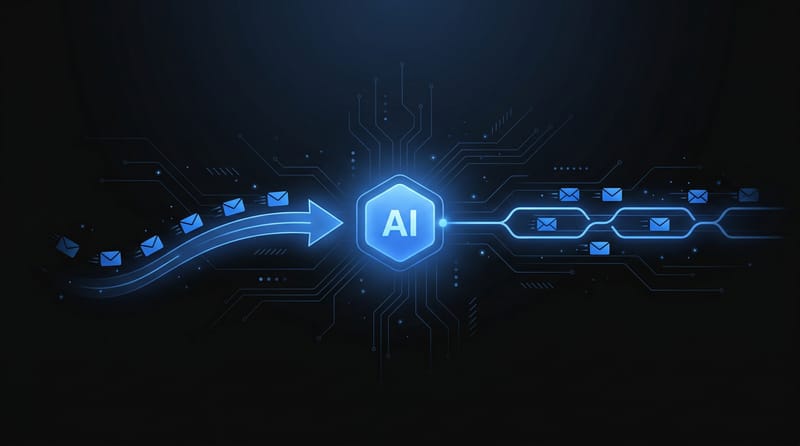
A durable email agent has three layers. Reasoning, orchestration, and mail transport with inbound state. If any one of those is weak, the workflow degrades fast.

A four step infographic diagram detailing the autonomous email workflow architecture from input to final delivery.

Separate the stack on purpose

Don't let your LLM own delivery logic. Don't let your agent framework improvise mailbox behavior. Keep the concerns split.

  1. The LLM handles language tasks It drafts emails, classifies replies, summarizes context, and proposes next actions. Claude, Gemini, and similar models fit here.

  2. The agent framework handles control flow LangChain or CrewAI decides when to send, when to wait, when to escalate, and when to stop. This layer also manages tools, memory, retries, and task boundaries.

  3. The email infrastructure handles communication This layer creates mailboxes, sends messages, receives inbound messages, preserves thread continuity, and exposes machine-friendly events.

That split matters because email performance has a direct business consequence. Automated emails powered by AI generate 320% more revenue than non-automated campaigns, and AI-driven personalization is associated with 41% revenue increases, which is why a clean architecture isn't academic. It's tied to outcomes (Mailmend's roundup of AI-driven email performance data).

The minimum viable workflow

A practical workflow usually looks like this:

  • Trigger arrives: A CRM event, support ticket, lead form, or internal job queue creates a task.
  • Agent loads context: It fetches customer data, prior thread history, and business rules.
  • Model drafts content: The LLM writes the email from structured inputs.
  • Policy checks run: Your app validates allowed recipients, tone constraints, and escalation rules.
  • Message sends through a mailbox API: The system sends from a mailbox tied to the agent or task.
  • Reply arrives asynchronously: The platform posts the inbound email to your app.
  • Agent decides next action: Reply, classify, escalate, archive, or end the thread.

Why one mailbox per role usually beats one mailbox per app

Developers often start with a single shared address like support@ or bot@. That's convenient for a prototype and messy in production. A better pattern is assigning mailboxes by role, tenant, or workflow.

A recruiting agent shouldn't share identity with a billing follow-up agent. A sales qualification bot shouldn't reuse a mailbox that also processes customer complaints. Separate mailboxes make routing, suppression, analytics, and incident response much easier.

Use mailbox boundaries the same way you use service boundaries. If two workflows have different trust levels, different escalation paths, or different reputational risk, they shouldn't share an email identity.

A reference architecture for LangChain and CrewAI

Here's a blueprint that works well:

Layer Example responsibility Failure if omitted
LLM Generate body, summarize reply, detect intent Generic or irrelevant emails
Agent framework Tool calling, branching, retry logic No reliable workflow state
Application layer Business rules, audit logs, allowlists Unsafe actions and poor observability
Email API layer Mailbox creation, send/receive, threading Brittle delivery and no true conversations

For data-heavy teams building multi-step agent systems, I've found it useful to compare orchestration choices before wiring email into them. These insights for data engineering teams are a solid reference when you're deciding how much control you want in LangChain versus CrewAI.

What not to build yourself

Avoid custom SMTP glue, inbox scraping, and ad hoc reply parsing if the goal is production autonomy. Those shortcuts look cheap until they become your reliability backlog. A robust email writing ai system isn't a prompt with a send button attached. It's a stateful communications subsystem.

Mastering Prompts for AI Email Generation

Bad prompts don't fail loudly. They produce emails that look acceptable, sound generic, and underperform. That's why prompt quality matters more in autonomous systems than in human-assisted drafting. A person can catch weak copy. An agent often won't.

When prompts are clear and specific, including persona, objective, and tone, AI email effectiveness rises to 85-90%. Vague prompts create “bloated, difficult-to-absorb” emails and can cause a 10-15% net productivity loss because of editing and correction (iPost's analysis of AI email writing trade-offs).

A laptop screen displaying the text Ready to Fly with a paper airplane icon on a desk.

The structure that works

Most prompt failures come from missing constraints. Don't ask the model to “write a follow-up email.” Give it a frame it can execute.

A strong email prompt usually includes:

  • Audience definition: Who's reading it, and what do they care about?
  • Goal: Book a call, confirm a document, answer a complaint, or recover a stalled thread.
  • Tone rules: Direct, warm, concise, formal, technical, apologetic.
  • Context block: Prior messages, CRM facts, product limitations, and forbidden claims.
  • Output constraints: Word count, CTA count, subject line format, plain text or HTML.
  • Risk boundaries: No invented pricing, no legal commitments, no unsupported guarantees.

Before and after prompt design

Here's the weak version:

Write a friendly sales email about our product and ask for a meeting.

That prompt leaves too much open. The model will fill the gaps with fluff.

A better version looks like this:

You are an outbound sales agent writing to a VP of Operations at a mid-market SaaS company.
Goal: ask for a short discovery call.
Recipient context: they recently posted about support backlog and process bottlenecks.
Tone: concise, competent, not hyped.
Constraints: 120 words max, no exclamation marks, one CTA, no invented customer stories, no claim of savings unless provided in input data.
Output: subject line plus body.
Include: one sentence tying the message to support backlog, one sentence on operational visibility, one sentence asking for a call next week.

The difference is control. The model isn't being asked to be creative. It's being asked to execute.

Three prompt templates for autonomous agents

Cold outreach agent

Use this when the agent initiates first contact.

  • Persona: SDR or founder-research agent
  • Primary variable inputs: role, company, trigger event, offer, CTA window
  • Constraint that matters most: one reason to care, one ask

Example prompt pattern:

Write a first-touch outreach email to a Head of Partnerships.
Use the following context only: [structured fields].
Tone should sound informed and calm.
Avoid buzzwords and broad compliments.
Mention exactly one observed trigger.
Ask one question that can be answered in one sentence.
Keep the body under 110 words.

Recruiting follow-up agent

This works for application reminders, scheduling, and candidate nudges.

Prompt field Why it matters
Candidate stage Prevents wrong assumptions
Previous interaction date Helps avoid awkward repetition
Role title and location Grounds the email in specifics
Next action Keeps CTA singular

Example instruction:

Reply to a candidate who completed a screening call.
Objective: confirm availability for the next interview round.
Tone: respectful and efficient.
Include available time windows from the scheduling payload.
Do not mention compensation unless present in the provided data.
End with a simple confirmation question.

Support reply agent

Many teams under-specify context in this area. Support prompts need policy boundaries.

Generate a reply to a customer asking about account access.
Use the conversation history and internal policy notes provided below.
If the policy notes don't authorize an action, do not promise it.
Tone should be calm and clear.
Summarize the issue in one sentence, give numbered next steps, and ask one closing confirmation question.
If confidence is low, output ESCALATE instead of an email.

Prompting for replies is different from prompting for outbound

Outbound email starts from intent. Reply handling starts from interpretation. Your prompt should force the model to classify before it drafts.

Use a two-stage pattern:

  1. Interpret the inbound email Ask the model for intent, urgency, sentiment, requested action, and confidence.

  2. Draft only if safe If confidence is high and policy allows a response, draft it. Otherwise escalate.

This is also where good prompt discipline compounds with broader prompt design work. If you want a sharper mental model for structured prompting beyond email, these expert prompt engineering strategies for founders are worth reading.

A few hard rules

  • Never let the model infer missing business facts: Pass explicit data or forbid the claim.
  • Require short outputs by default: Long emails often hide weak reasoning.
  • Ask for plain text first: You can transform format later.
  • Include negative instructions sparingly: Too many “do not” clauses dilute priorities.
  • Store prompt versions: If quality changes, you need to know what changed.

The best email writing ai prompts read like small API contracts. Inputs are explicit, outputs are bounded, and failure is an allowed result.

For teams working on automated response flows, I also like practical examples that focus on the reply side rather than just drafting. This guide on using AI to answer emails is useful because it maps prompting decisions to actual inbox workflows.

Integrating Agent Frameworks with Robotomail

Good architecture becomes real when the agent can create an address, send a message, and continue the thread from inbound events. That's the line between “LLM demo” and “working email system.”

A cute white robot plugging a glowing blue cable into a server rack labeled Robotomail.

The integration shape that holds up

In practice, I'd wire it like this:

  • Agent receives a task from your app
  • App provisions or selects a mailbox for that workflow
  • Agent calls the LLM with structured prompt inputs
  • App sends the generated message through the mail API
  • Inbound replies hit a webhook endpoint
  • Webhook handler verifies the signature and stores normalized message data
  • Agent resumes with full thread context and decides the next action

This pattern is cleaner than embedding email logic directly inside LangChain tools or CrewAI task definitions. Keep those frameworks focused on decision-making. Let your application own persistence, policy, and external side effects.

A minimal Python shape

The exact SDK can vary, but the flow is straightforward:

  1. create or select mailbox
  2. generate draft
  3. send email
  4. receive webhook
  5. resume conversation

Example pseudocode:

task = get_pending_task()

mailbox = mail_provider.create_mailbox(
    label=f"sales-agent-{task.account_id}"
)

draft = llm.generate_email(
    audience=task.persona,
    goal=task.goal,
    context=task.context,
    constraints=task.constraints
)

message = mail_provider.send_email(
    from_mailbox=mailbox.id,
    to=task.recipient,
    subject=draft.subject,
    body=draft.body
)

store_conversation(
    task_id=task.id,
    mailbox_id=mailbox.id,
    message_id=message.id
)

That's the outbound half. The inbound half is what most email writing ai tutorials skip.

Webhook handling is the real unlock

When a reply arrives, your server shouldn't just log it. It should normalize the payload into something your agent can reason over.

Store at least:

  • Mailbox identity
  • Conversation or thread identifier
  • Sender
  • Subject
  • Plain text body
  • Attachments metadata
  • Timestamp
  • Signature verification result

Then decide whether the reply is safe for autonomous handling.

Route by confidence, not by convenience. If the model is uncertain or the email touches billing, compliance, or access control, send it to a human queue.

A hybrid human-AI workflow can deliver 41% revenue growth, and one practical way to build that loop is using HMAC-signed inbound webhooks so your application can route selected replies to a human before the agent proceeds (Groupmail's discussion of hybrid AI email workflows).

LangChain and CrewAI patterns

LangChain

LangChain works well when you need explicit tool usage and branch control.

A useful setup is:

  • one tool for mailbox operations
  • one tool for CRM or internal data lookup
  • one summarizer chain for thread compression
  • one guarded reply generator for final output

If the thread gets long, don't dump the full raw history into every prompt. Store canonical thread state in your app and generate a compressed context object.

CrewAI

CrewAI makes more sense when you want role-based decomposition. For example:

Agent role Job
Research agent Gather recipient context
Writer agent Draft outbound email
Triage agent Classify inbound replies
Escalation agent Hand off sensitive threads

That setup is helpful in customer-facing systems where not every reply should be treated the same.

For a practical companion read focused on mailbox-aware automation, this article on an AI agent to manage emails is a good reference point because it stays close to implementation concerns.

A short walkthrough helps if you want to see one style of this in action:

Design choices that prevent pain later

Don't let your LLM decide sender identity. Don't let one agent reply from multiple unrelated mailboxes in the same task. Don't treat every inbound email as a fresh interaction. Thread continuity matters because email recipients expect memory.

The strongest implementations aren't the most complex. They're the ones where each layer has a narrow job and no layer pretends to be another.

Security and Production Best Practices

A lot of email agents work in staging and fail in production for reasons that have nothing to do with model quality. The email sends. The logs look clean. The user never sees it because it lands in spam, trips domain protections, or triggers a bad automated reply.

That's why production readiness starts with deliverability and trust, not model cleverness.

A blue shield with a checkmark protecting email icons as they move safely into a cloud storage.

Deliverability is a systems problem

AI-generated emails can have 25-40% higher spam rates due to uniform patterns, and DMARC adoption has reached 85% globally, which means unverified senders face a much harsher environment than they did before (analysis of AI email deliverability risks). If your stack doesn't handle authenticated sending cleanly, your nice prompt engineering won't matter.

Three issues show up repeatedly:

  • Uniform phrasing: Models produce repetitive patterns across large batches.
  • Weak domain setup: Unverified or partially configured senders lose trust.
  • No sending discipline: Agents reply too quickly, too often, or to the wrong recipients.

What to lock down before launch

Verify every inbound event

If your provider signs inbound webhooks, verify the HMAC before parsing content or triggering actions. This isn't optional. Without signature verification, anyone who can reach your endpoint can impersonate a reply and manipulate your workflow.

A safe handler should:

  • Reject invalid signatures immediately
  • Store raw payloads for audit
  • Parse only after verification
  • Use idempotency keys if retries are possible

Apply mailbox-level controls

Mailbox-level controls matter because different agents carry different reputational risk. A support assistant answering existing customers can usually behave more aggressively than a cold outreach bot.

Use controls like:

  • Rate limits: Prevent sudden bursts that look automated in the worst way.
  • Suppression lists: Don't let agents repeatedly contact bounced or opted-out addresses.
  • Storage quotas: Keep runaway attachments or loops from bloating your system.
  • Per-workflow identities: Isolate risk between departments or use cases.

Test thread behavior, not just send success

A lot of teams run one happy-path send test and call it done. That misses the real failure surface.

Test these cases:

Test case What you're checking
Reply with quoted history Whether parsing keeps only the new content
Forwarded thread Whether agent avoids false context assumptions
Empty body with attachment Whether fallback logic works
Angry customer reply Whether escalation rules trigger
Auto-responder loop Whether your system exits safely

Production email agents fail at boundaries. They fail on malformed replies, forwarding chains, and edge-case recipients. Test those first.

Don't optimize for send volume too early

The urge is to scale once the first workflow works. That's backwards. First prove that the agent can maintain identity, obey suppression logic, and exit uncertain conversations safely.

Security teams already understand this pattern from adjacent automation systems. If you work closely with platform or defense workflows, this overview of cyber security automation for SOC teams is useful because it frames automation in terms of containment, verification, and escalation rather than raw speed.

The production mindset

A production email writing ai system should be boring. It should authenticate every event, log every decision, isolate risk by mailbox, and make escalation cheap. The agent's job is not to be clever at all times. Its job is to behave predictably under pressure.

From AI Assistant to Autonomous Agent

The shift is conceptual before it's technical. An AI assistant helps a person write. An autonomous agent conducts an email workflow as its own operational unit.

That changes how you design everything. Prompting becomes contract design. Sending becomes identity management. Replies become event handling. Thread history becomes application state. Security moves from “nice to have” to “part of the control plane.”

Three pillars matter most:

  • A strong model layer for drafting, classification, and summarization
  • An agent framework for tool use, branching, and recovery logic
  • An agent-native email layer that can send, receive, and preserve conversation state programmatically

If one of those is missing, you're back to a human-assisted toolchain pretending to be autonomous.

The practical takeaway is simple. Treat email as infrastructure, not as UI. Build the workflow the same way you'd build payments, queues, or auth. Once you do that, email writing ai stops being a novelty feature and becomes a reliable capability inside your agent stack.

Frequently Asked Questions

How do I handle email attachments programmatically

Use a two-step pattern. First request a presigned upload URL from the email platform. Then upload the file and attach the returned attachment identifier when sending the message.

For inbound mail, the clean pattern is the reverse. Your webhook payload includes attachment metadata plus secure download URLs, so the agent can fetch files without parsing raw MIME content itself. That keeps your application logic simpler and reduces failure cases.

What's the best way to manage context for long conversations

Don't rely on the model to reconstruct thread history from fragments. Store the conversation identifier, message history, and your own normalized summary state in the application layer.

A good pattern is:

  • Persist every inbound and outbound message
  • Store a rolling thread summary
  • Pass only the summary plus recent turns to the model
  • Keep the full raw thread available for audits or fallback

That gives the agent memory without bloating prompts.

Can I use this setup with my own custom domain

Yes, and for production systems you usually should. A custom domain gives the agent a stable brand identity and keeps automated workflows separate from personal mailboxes.

The important part isn't just the domain name. It's whether the platform supports the authentication and signing workflow needed for trusted delivery, plus thread continuity and inbound handling once replies start coming back.

Should every agent get its own mailbox

Not always, but many should. Separate mailboxes make it easier to isolate risk, route replies, apply different rate limits, and avoid mixing unrelated conversations.

A useful rule is to split mailboxes by workflow when the audience, tone, compliance boundary, or escalation path differs.

When should a human review the reply

Put a human in the loop when the message involves account access, billing disputes, legal commitments, compliance-sensitive content, or clear model uncertainty. You should also review when the recipient is high-value and the cost of a wrong reply is high.

Autonomy works best when escalation is easy.


If you're building agents that need real send-and-receive email, Robotomail is one of the few platforms built specifically for that workflow. It gives agents programmatic mailboxes, inbound handling, threading, attachment support, custom domains, and HMAC-signed events without forcing you into human mailbox patterns. That's the right starting point when email needs to be part of the agent system, not bolted on afterward.

Give your AI agent a real email address

One API call creates a mailbox with full send and receive. Webhooks for inbound, automatic threading, deliverability handled. 30-day money-back guarantee.