Email Can Receive But Not Send: A Developer's Guide
Troubleshoot why your email can receive but not send. A step-by-step guide for developers on fixing SMTP, API, DNS, and provider block issues.

John Joubert
Founder, Robotomail
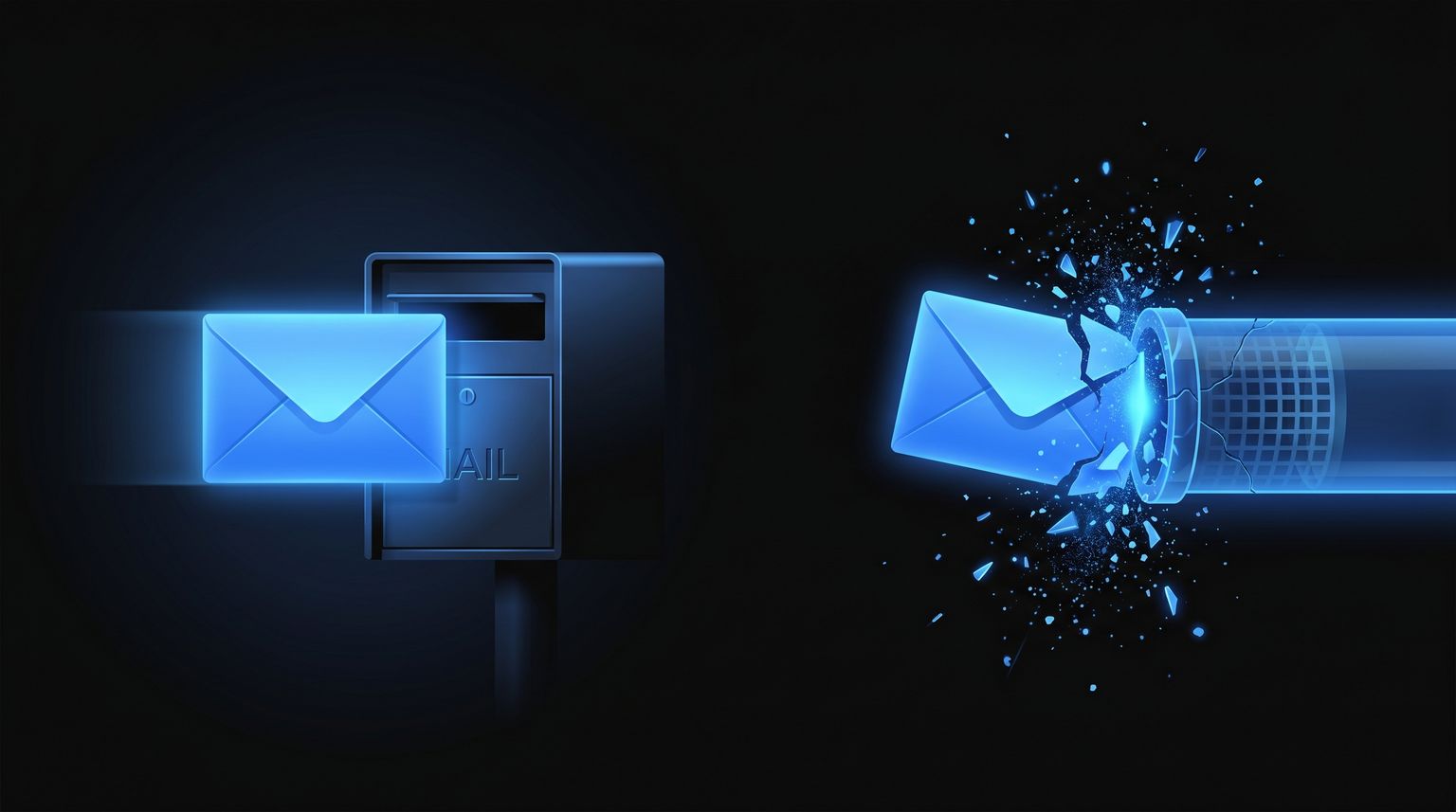
Table of contents
Your agent is reading inbound mail just fine. Webhooks fire, IMAP sync works, the mailbox fills up, and then every outbound reply dies somewhere between your app and the recipient. That pattern is common, and it usually means one thing: inbound and outbound email are separate systems.
For developers, that matters more than it does for end users. A desktop user can click “send” and see a popup. An agent pipeline might enqueue a reply, call SMTP or an email API, swallow the exception, retry badly, and fail unnoticed for hours. If you're debugging “email can receive but not send,” treat it as an outbound transport problem until proven otherwise.
The fastest way to solve it is to move in layers. Start at the network edge. Then verify SMTP or API credentials. Then check domain identity and provider policy. That order saves time because the receive path can stay healthy while the send path is completely broken. ServerSMTP's guidance aligns with that approach: isolate the outgoing path first, verify network reachability, then confirm the SMTP host, port, credentials, and encryption settings, with SMTP authentication and outbound port policy being the highest-yield checks (ServerSMTP troubleshooting guidance).
Why Your Email Is a Two-Way Street with One-Way Traffic
Receiving mail proves very little about sending. Your app might pull inbound messages over IMAP, POP3, a provider webhook, or a polling endpoint. None of that validates the outbound path. Sending usually goes through SMTP submission or a provider API, and that path has its own auth, encryption, firewall rules, and policy checks.
For AI agents, this split gets sharper. An inbound worker may parse a message, classify intent, generate a reply, and hand off to a completely different service for delivery. When the last step fails, the rest of the pipeline still looks healthy. That fools a lot of teams into debugging parsing, LLM prompts, or mailbox state when the actual issue is a dead outbound channel.
The practical model
Use this mental model:
| Path | What it proves | What it does not prove |
|---|---|---|
| Inbound webhook or IMAP | Mailbox exists and can receive | SMTP submission works |
| SMTP login succeeds | Credentials may be valid for sending | Recipient acceptance or deliverability |
| API returns accepted | Provider took the message | Final inbox placement |
That separation is why “can receive but not send” often survives basic smoke tests.
Practical rule: If inbound is healthy and outbound fails, stop inspecting mailbox state first. Inspect the sender path, auth method, and provider response.
Where developers usually lose time
Three habits create long outages:
- Assuming one password covers everything: Some providers separate mailbox login from sending auth.
- Testing only in the app: A failing library call hides whether the issue is DNS, TLS, auth, or policy.
- Ignoring response detail: SMTP reply codes and API error bodies are the shortest path to root cause.
A clean outbound diagnostic starts outside your application. Prove the network path. Prove the remote endpoint. Prove credentials. Then move up to domain trust and provider reputation.
Diagnosing Your Outbound Connection and Credentials
Most broken outbound email starts close to your app. The code may be fine. The network path often isn't.
A common root cause is SMTP authentication and port configuration. Doteasy notes that many ISPs still block port 25 to reduce spam abuse, and recommends switching to 587 or 465 instead, while also verifying the outgoing server name and correct username and password (Doteasy SMTP setup guidance)).

Test the path outside your code
Start with a direct socket test from the same host or container that sends mail.
nc -vz smtp.your-provider.tld 587
For implicit TLS on 465:
nc -vz smtp.your-provider.tld 465
If you want to test the TLS handshake itself, use OpenSSL:
openssl s_client -connect smtp.your-provider.tld:587 -starttls smtp
Or for implicit TLS:
openssl s_client -connect smtp.your-provider.tld:465
What you're looking for is simple. If the connection times out or is refused, your app won't send no matter how correct the code is. Fix routing, firewall rules, egress controls, or blocked ports first.
Check the app's effective configuration
In containerized systems, the value in code often isn't the value at runtime. Print the actual config your worker is using.
import os

print({
    "SMTP_HOST": os.getenv("SMTP_HOST"),
    "SMTP_PORT": os.getenv("SMTP_PORT"),
    "SMTP_USER": os.getenv("SMTP_USER"),
    "SMTP_TLS_MODE": os.getenv("SMTP_TLS_MODE"),
})
Don't log secrets. Log enough to prove the process picked up the right host, port, and auth mode.
A mismatch between STARTTLS on 587 and implicit TLS on 465 is a classic failure. So is using the inbox address as username when the provider expects a different SMTP identity.
Send a minimal message with explicit errors
Use a stripped-down test script that does nothing except connect, authenticate, and send.
import os
import smtplib
from email.message import EmailMessage

host = os.environ["SMTP_HOST"]
port = int(os.environ["SMTP_PORT"])
user = os.environ["SMTP_USER"]
password = os.environ["SMTP_PASS"]
sender = os.environ["MAIL_FROM"]
recipient = os.environ["TEST_TO"]

msg = EmailMessage()
msg["Subject"] = "SMTP probe"
msg["From"] = sender
msg["To"] = recipient
msg.set_content("Testing outbound email path.")

with smtplib.SMTP(host, port, timeout=20) as smtp:
    smtp.set_debuglevel(1)
    smtp.ehlo()
    smtp.starttls()
    smtp.ehlo()
    smtp.login(user, password)
    smtp.send_message(msg)
If you're on 465, use smtplib.SMTP_SSL(...) instead of starttls().
If this script fails from the shell, the problem isn't your agent logic.
What works and what doesn't
Works: Testing from the same runtime environment as the app.
Works: Swapping to the provider-supported submission ports when 25 is blocked.
Works: Capturing the exact auth failure or TLS handshake error.
Doesn't work: Assuming a successful inbox login means SMTP auth is valid.
Doesn't work: Retrying blindly on
535or similar auth failures.Doesn't work: Debugging your LLM chain before proving the transport.
Node example for agent services
import nodemailer from "nodemailer";

const transporter = nodemailer.createTransport({
  host: process.env.SMTP_HOST,
  port: Number(process.env.SMTP_PORT),
  secure: false,
  auth: {
    user: process.env.SMTP_USER,
    pass: process.env.SMTP_PASS
  }
});

async function probe() {
  await transporter.verify();
  await transporter.sendMail({
    from: process.env.MAIL_FROM,
    to: process.env.TEST_TO,
    subject: "SMTP probe",
    text: "Testing outbound email path."
  });
}

probe().catch(err => {
  console.error(err);
  process.exit(1);
});
If verify() fails, stop there. Fix transport first.
Verifying Your Domain's Sending Authentication
You can have a perfect TCP connection and still fail to send in practice. The next layer is domain identity. Recipient systems want proof that your service is allowed to send on behalf of the domain in the From address.
That proof is built from SPF, DKIM, and DMARC. Think of them as your domain's public contract. SPF says which systems may send. DKIM signs the message. DMARC tells receivers how to evaluate alignment and policy. If one or more of those are wrong, recipients may reject, quarantine, or distrust outbound mail while inbound continues to work normally.

Check what DNS actually publishes
Use dig to inspect the records that matter.
dig TXT yourdomain.tld +short
dig TXT _dmarc.yourdomain.tld +short
dig TXT selector._domainkey.yourdomain.tld +short
You're not looking for beauty. You're looking for consistency with the service sending mail. A common failure is an SPF record that authorizes one provider while your app sends through another. Another is a DKIM selector configured in the sender but missing from DNS.
For a deeper walkthrough on mail DNS from an implementation angle, Robotomail's guide to DNS for email is a useful technical reference.
Authentication policy can block sending before deliverability even matters
A lot of generic email advice stops at host, port, and TLS. That misses a common modern failure mode. Microsoft Q&A notes that for many Google accounts, 2-Step Verification is required and App Passwords are used for apps that don't support full sign-in. In those cases, receiving can still work while sending fails because the blocker is authentication policy, not connectivity (Microsoft Q&A on receive works but send fails with Google auth policy).
That shows up all the time in scripts, cron jobs, and agent workers that still try to use a normal account password.
Fast checks that catch real issues
Use a short checklist instead of staring at DNS records for half an hour:
- From domain alignment: The
Fromaddress should match the domain you've authenticated for sending. - SPF completeness: If you send through a provider, the SPF record must authorize that sending path.
- DKIM selector match: The selector used by your service must exist in DNS.
- DMARC presence: DMARC won't make bad mail good, but missing or inconsistent policy makes trust harder.
A mailbox that receives cleanly can still fail outbound because sending identity is evaluated at the domain and policy layer, not the inbox layer.
Programmatic verification in CI
If email is part of your product, don't leave this to manual inspection. Add automated checks.
#!/usr/bin/env bash
set -e

dig TXT "$MAIL_DOMAIN" +short
dig TXT "_dmarc.$MAIL_DOMAIN" +short
dig TXT "$DKIM_SELECTOR._domainkey.$MAIL_DOMAIN" +short
Then fail deployment if required records are missing from the expected environment. That won't solve every deliverability issue, but it eliminates a whole class of silent config drift.
Navigating Provider Blocks and Reputation Issues
Sometimes the config is correct, TLS is fine, DNS is fine, and mail still won't go out. That's the provider telling you it doesn't trust the sender, the account, the domain, or the message pattern.

I see this most often after a team finally gets an agent to work at scale. The first version sends cautious test traffic. The next version auto-replies, follows up, retries, sends summaries, and suddenly the provider starts returning sender validation or policy errors. Nothing changed in the code path that receives mail. The trust model for sending changed.
Microsoft Q&A describes the error “sending email address was not recognized as a valid sender” as often caused by the address being suspected of sending spam. The same thread points to deliverability guidance that suggests keeping spam complaint rates below 0.1% and using SPF, DKIM, and DMARC to protect reputation (Microsoft Q&A on valid sender errors and spam suspicion).
Read the response like an operator
Don't collapse all failures into “send failed.” Permanent and transient failures need different handling.
| Signal | Usually means | What your app should do |
|---|---|---|
| Auth failure | Wrong credential or blocked auth policy | Stop retrying, alert |
| Sender rejected | Provider distrusts sender identity or reputation | Pause sends, inspect account and domain |
| Temporary unavailable | Remote service or route issue | Retry with backoff |
| Recipient invalid | Address problem | Suppress future sends to that recipient |
The exact SMTP code varies by provider, but the principle doesn't. Build classification around response categories, not just exception types.
Reputation is partly technical and partly behavioral
A sender can look suspicious without malicious intent. Agents often generate repetitive, abrupt, or overly templated replies. That can trigger complaints, manual reports, or provider scrutiny.
If you're using LLM-generated email, tone matters more than many teams think. A stiff or obviously automated message can increase the chance that recipients treat it like spam. If you're refining copy quality, a tool that helps make AI emails sound human can reduce the robotic patterns that often get agents ignored or flagged.
After you classify response codes, check your own behavior:
- Bursting too fast: Queue a flood of replies after a batch import and you may hit provider policy.
- Re-sending to bad recipients: One invalid or previously bounced address should go onto a suppression path.
- Using inconsistent sender identities: Swapping
Fromaddresses and domains across the same workflow looks sloppy at best.
Before you watch a higher-level overview, make sure you've already captured the exact provider error text in your logs.
What to put in logs
At minimum, log these fields for every outbound attempt:
- Message identifier: Internal job ID plus provider message ID if available
- Envelope details: Sender, recipient, and mailbox or tenant
- Transport result: SMTP reply or API status body
- Decision: Retry, suppress, escalate, or mark permanent failure
If your logs can't distinguish credential failure from policy rejection, your on-call engineer is going to waste time in the wrong layer.
Solving Sending Issues with the Robotomail API
For agent systems, the biggest reliability gain often comes from removing user-oriented email setup from the architecture. SMTP works, but it exposes every sharp edge: ports, TLS mode, app passwords, mailbox provisioning, and client-specific quirks.
One alternative is Robotomail, which provides agent-focused mailboxes over API, supports send and receive, offers inbound handling through webhooks, server-sent events, or polling, HMAC-signs inbound delivery, supports custom domains with auto-configured DKIM, SPF, and DMARC, and exposes operational controls like per-mailbox rate limiting, suppression lists, storage quotas, attachment handling, and automatic threading. If you're comparing approaches, their REST API quickstart shows the shape of an API-first send flow.

API send flow
A programmatic send path should surface errors in a structured way. The basic pattern is:
curl -X POST "https://api.robotomail.com/send" \
  -H "Authorization: Bearer $ROBOTOMAIL_API_KEY" \
  -H "Content-Type: application/json" \
  -d '{
    "mailbox": "agent@example.com",
    "to": ["user@example.net"],
    "subject": "Your requested summary",
    "text": "Attached is the latest report.",
    "threadId": "optional-thread-id"
  }'
That kind of flow is easier to reason about than SMTP because your app gets a normal HTTP response instead of a stateful mail session.
What to inspect when sends fail
When an API-backed send fails, look for three classes of problem:
Authorization problems Invalid API key, wrong environment, or mailbox access mismatch.
Mailbox policy Per-mailbox rate limits, suppression-list hits, or quota-related conditions.
Payload issues Invalid recipients, malformed attachment metadata, or missing required fields.
A small wrapper helps preserve those distinctions:
import os
import requests

payload = {
    "mailbox": os.environ["MAILBOX"],
    "to": [os.environ["TEST_TO"]],
    "subject": "API probe",
    "text": "Testing outbound API path."
}

resp = requests.post(
    "https://api.robotomail.com/send",
    headers={"Authorization": f"Bearer {os.environ['ROBOTOMAIL_API_KEY']}"},
    json=payload,
    timeout=20,
)

print(resp.status_code)
print(resp.text)
resp.raise_for_status()
Inbound security for agents
If your workflow also processes incoming mail, verify webhook signatures before trusting the message body.
import hmac
import hashlib

def verify_signature(secret, body, provided_signature):
    digest = hmac.new(
        secret.encode(),
        body,
        hashlib.sha256
    ).hexdigest()
    return hmac.compare_digest(digest, provided_signature)
That matters because agent workflows often trigger actions from inbound email. Signature verification keeps your system from treating forged requests as real mail events.
Operational guidance
What works in production is boring:
- Log response bodies: Don't discard structured API errors.
- Track mailbox-level failures: One mailbox hitting limits shouldn't obscure the health of others.
- Preserve thread IDs: Thread-aware replies reduce duplicate conversations and broken follow-ups.
What doesn't work is pretending email is stateless. It isn't. Mailboxes, threads, suppression history, and provider policy all accumulate context.
Building Resilient Agent Email Workflows
A reliable agent mail system isn't just one that sends. It's one that tells you exactly why it didn't.
The useful mental model has three layers. First, prove the outbound connection and credentials. Second, verify domain identity and auth policy. Third, inspect provider trust, sender reputation, and suppression behavior. When teams skip that order, they burn hours chasing symptoms in the wrong component.
Design for observability from day one
For agent workflows, email should be instrumented like any other critical dependency.
- Store send attempts: Keep the request payload, provider response, and final decision.
- Classify failures: Separate auth errors, policy errors, transient transport errors, and recipient problems.
- Expose health per mailbox: A shared “email is down” metric hides too much.
A lot of developers building autonomous systems borrow ideas from adjacent agent projects. If you're surveying how others structure agent tooling and workflows, it's worth taking a look at projects like explore Agent Gram for ecosystem context.
Recovery logic matters more than retries
Blind retries create bigger problems. They can intensify provider suspicion, resend to invalid addresses, and bury the original cause in log noise.
Use explicit handling instead:
| Failure type | Correct response |
|---|---|
| Auth or sender policy | Stop and alert |
| Temporary transport issue | Retry with backoff |
| Invalid recipient | Suppress recipient |
| Quota or rate issue | Queue and drain later |
Systems that separate inbound success from outbound success are easier to operate, easier to debug, and much safer to automate.
When “email can receive but not send” shows up in an agent stack, don't treat it like a vague email problem. Treat it like a transport and trust problem with clear layers, measurable signals, and fixable causes.
If you're building autonomous send-and-receive email workflows for agents, Robotomail is worth evaluating as infrastructure rather than bolting SMTP onto user-oriented mailboxes. It gives developers a direct API path for mailbox creation, outbound sending, and inbound handling, which can simplify the parts of email that usually fail first in agent systems.
Give your AI agent a real email address
Create a mailbox, connect your agent and test a conversation. Send, receive and retrieve the thread through one API.
Related posts
10 Email Automation Best Practices for 2026
Master our top 10 email automation best practices for AI agents. Learn about DKIM, webhooks, threading, and more for secure, reliable agent-native email.
Read post
Inbound Package Meaning: From Warehouse Box to API Payload
Confused by the 'inbound package meaning'? Learn the critical difference between the logistics term and the API payload concept AI developers must know.
Read post
What Is Email Api: A Developer's Guide for 2026
Discover what is email api and how it works for developers. This 2026 guide covers REST vs SMTP, data flows, security, and AI use cases.
Read post